


Installing Starlink Mini in a caravan, 4WD, or van does not require a professional — but it does require a bit of planning. Choosing the right mount location, routing cables cleanly, and connecting to a 12V power system are all straightforward once you know the steps. This complete DIY installation guide walks you through everything from unboxing to first connection.
Australia's vast landscape and remote locations make reliable internet connectivity a constant challenge for many residents, travellers, and businesses. Enter Starlink Mini – SpaceX's compact, portable satellite internet solution that's revolutionising how Australians stay connected, whether they're in the Outback, on a caravan adventure, or working from a remote property.
What Makes Starlink Mini Special for Australian Users?
Starlink Mini represents a significant leap forward in portable satellite internet technology. Unlike traditional satellite internet services that require large, fixed installations, the Mini kit is designed for mobility and ease of use. For Australians who love exploring the continent's remote corners or need reliable internet in areas where traditional broadband simply doesn't reach, this compact solution offers unprecedented freedom.
The system weighs just 1.1kg and can fit in a backpack, making it perfect for grey nomads, remote workers, emergency services, and anyone who needs high-speed internet on the go. With download speeds typically ranging from 50-150 Mbps, it's more than capable of handling video calls, streaming, and heavy data usage that modern Australian lifestyles demand.
Essential Pre-Installation Considerations
Before diving into the setup process, Australian users need to consider several key factors. First, ensure you have an active Starlink subscription and have downloaded the official Starlink app on your smartphone. The app is crucial for the entire setup process and ongoing management of your connection.
Location is critical for optimal performance. You'll need a clear view of the sky with minimal obstructions. This means avoiding areas under dense tree cover, near tall buildings, or in valleys surrounded by hills. The Starlink app includes a helpful site survey feature that uses your phone's camera to identify potential obstructions and recommend the best positioning.
Power requirements are another crucial consideration. The Starlink Mini requires a stable power source, typically drawing around 20-40 watts during operation. For mobile setups, ensure your power system (whether it's a caravan's 12V system, portable battery pack, or generator) can handle this continuous load.
Step-by-Step Installation Process
Step 1: Unboxing and Initial Setup
Your Starlink Mini kit includes the satellite dish, integrated WiFi router, power supply, and necessary cables. Unlike larger Starlink systems, the Mini combines the dish and router into one compact unit, simplifying the setup process significantly.
Step 2: Positioning the Dish
Find your optimal location using the Starlink app's obstruction checker. Place the Mini on a stable, level surface with a clear view of the sky. The dish will automatically orient itself to connect with the satellite constellation – this process typically takes 5-15 minutes.
Step 3: Power Connection
Connect the power adapter to the Mini and plug it into your power source. The system will begin its startup sequence, indicated by status lights on the device. During this phase, the dish will move to find the optimal satellite connection.
Step 4: Network Configuration
Open the Starlink app and follow the setup wizard. The app will detect your Mini automatically and guide you through the network configuration process. You can customise your WiFi network name and password, set up guest networks, and configure parental controls if needed.
Step 5: Testing and Optimisation
Once connected, run speed tests through the app to ensure optimal performance. The app provides detailed statistics about your connection quality, including ping times, download/upload speeds, and any potential issues.
Australian-Specific Installation Tips
Australia's diverse climate conditions require special consideration during installation. In the tropical north, ensure your Mini has adequate ventilation to prevent overheating during hot, humid conditions. The system operates effectively in temperatures from -30°C to 50°C, but performance can be affected by extreme heat.
For users in bushfire-prone areas, consider the Mini's placement carefully. While the system is designed to withstand various weather conditions, having a quick-disconnect setup allows for rapid evacuation if necessary. Many Australian users create portable mounting solutions using tripods or magnetic mounts for vehicle installations.
Dust and debris are common challenges in the Australian environment. Regular cleaning of the dish surface with a soft, damp cloth helps maintain optimal signal quality. Avoid using harsh chemicals or abrasive materials that could damage the dish's surface.
Troubleshooting Common Issues
Connection drops can occur due to satellite handoffs or temporary obstructions. The Starlink app provides real-time diagnostics to help identify issues. If you're experiencing consistent problems, try relocating the Mini to a different position with better sky visibility.
Power-related issues are common in mobile setups. Ensure your power source provides stable voltage and sufficient capacity. Voltage fluctuations can cause the system to restart or operate inefficiently.
Maximising Your Starlink Mini Experience
To get the best performance from your Starlink Mini in Australia, consider investing in external antennas for improved mobile phone coverage, as satellite internet doesn't boost cellular signals. Position the Mini away from other electronic devices that might cause interference.
For permanent or semi-permanent installations, weatherproof enclosures can protect the system from Australia's harsh UV radiation and extreme weather events. Many users also invest in uninterruptible power supplies (UPS) to maintain connectivity during brief power outages.
Conclusion
Starlink Mini represents a game-changing technology for Australian internet connectivity. Its ease of installation, portability, and reliable performance make it an ideal solution for anyone needing high-speed internet in remote locations. By following this comprehensive setup guide and considering Australia's unique environmental challenges, users can enjoy seamless satellite internet connectivity wherever their adventures take them across this vast continent.
Whether you're a remote worker, travelling retiree, or simply someone who refuses to compromise on internet quality regardless of location, Starlink Mini offers the freedom to stay connected anywhere under the Australian sky.
Complete Your Setup with Outcamp Accessories
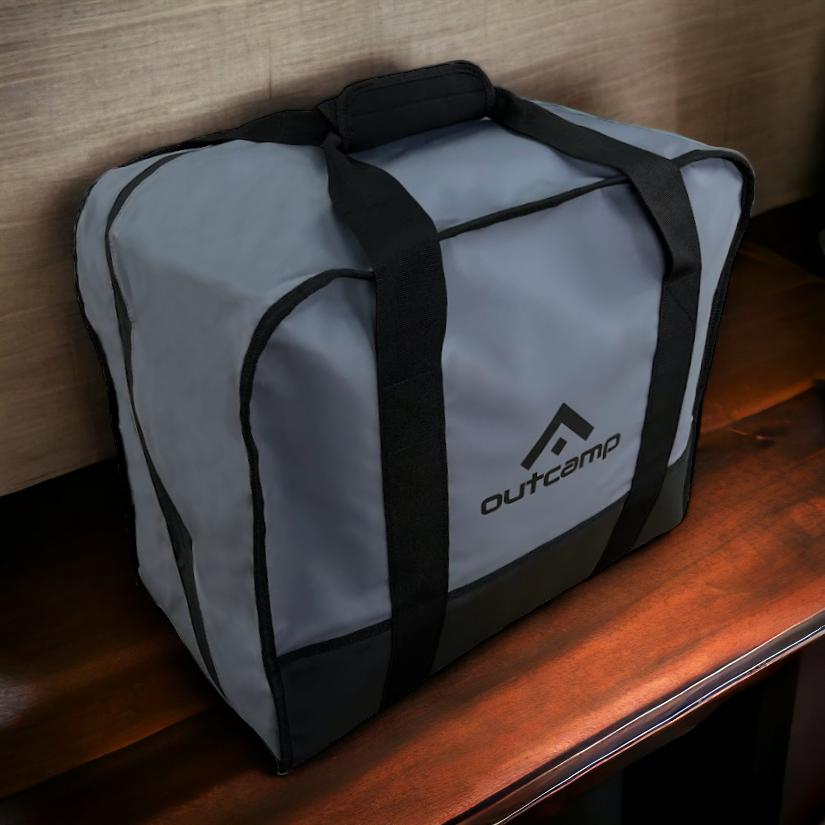
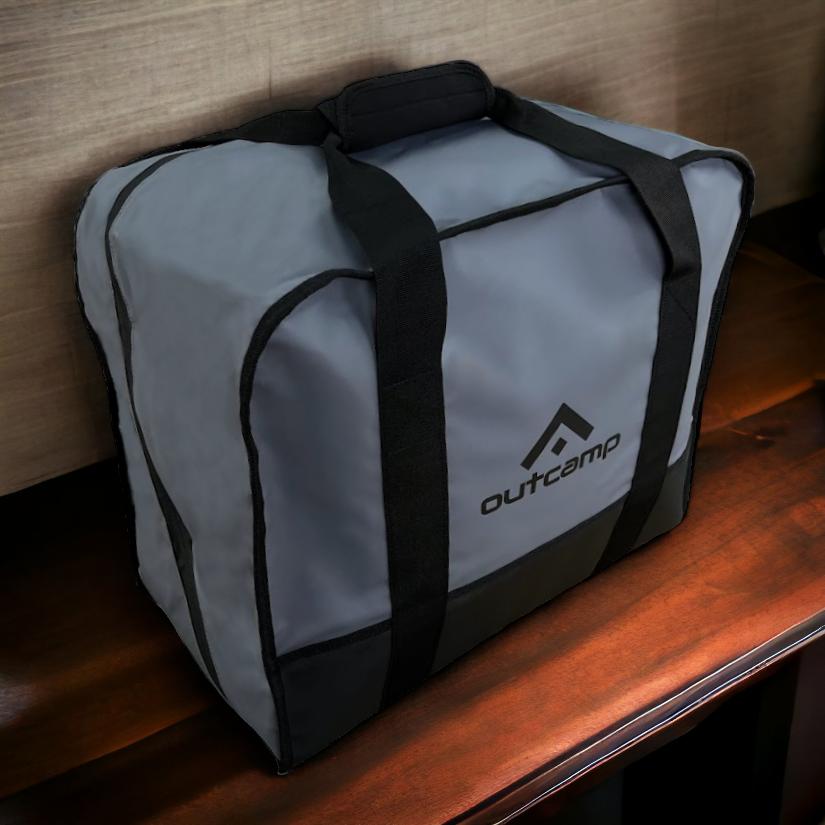
The right accessories make a Starlink Mini genuinely reliable in Australian touring conditions. Outcamp offers purpose-built mounts, padded carry bags, and 12V DC power cables for caravanners, 4WD drivers, and remote workers — all designed and stocked in Australia.
Explore the full range at outcamp.com.au.




Leave a comment (all fields required)