


The call comes in at 7:40 pm, twenty minutes after the light went. A bloke has put a grinder through his forearm, the first aider has the bleeding controlled, and the nearest ambulance is two hours away on a road that has already claimed one windscreen this week.
What happens next gets described as a medical decision. In practice it is a connectivity decision. The clinician on the other end needs to see the wound, not hear about it, and that single requirement is what telehealth on remote worksites actually depends on. It is also the part most site kits never plan for.
Telehealth on remote worksites starts with the link, not the kit
The Royal Flying Doctor Service has run remote consultations since the 1920s, starting with pedal-powered radios and continuing today through radio, telephone and video. Its own description of the job has not changed much: a clinician at a base, a patient or a health worker at the other end, and a decision to make with whatever information can get through.
The service describes its footprint as a waiting room of 7.69 million square kilometres, and connects more than a third of Australians living outside the capital cities to primary care, emergency retrieval and mental health support. Nobody designed that system around a site office with a satellite dish bolted to a demountable. It has adapted to it, because that is where the work is.
Where sites get this wrong is treating the link as a general-purpose utility, the same pipe that carries the toolbox talk slides and the timesheet uploads. Telehealth is not that. It arrives at the worst moment, it needs a specific kind of connection, and it usually has to work from wherever the vehicle stopped.
Voice-only triage has hard limits
A phone call can establish a lot: that someone is conscious, that bleeding is controlled, that a limb is not moving the way it should. What it cannot do is show the clinician the colour of the tissue, the angle of a deformity, or the way a burn is blanching.
That gap translates into decisions. Send a vehicle, wait, or call for a retrieval. Each of those has a cost in hours and risk, and the choice is made on incomplete information when the only channel is voice. Clinicians are trained to work with that, but they are also trained to ask for more when more is available.
On a site with a working video link, the same conversation takes four minutes and ends with a plan. On a site without one, it ends with a conservative call — and conservative calls in remote Australia tend to mean aircraft.
There is a second, quieter benefit. A video consultation lets the offsider hear the instructions at the same time as the patient. Instead of one person relaying what a doctor said, three people watch the same demonstration of how to pack a wound or splint a wrist. Competence spreads through the crew rather than stopping with whoever held the phone.
Video changes the decision, not just the experience
Video is not a luxury version of a phone call. It changes what a clinician can rule out. A hand that is swollen but moving, a knee with a normal resting angle, a rash with a defined edge — these are assessments that need eyes, and each one removed from the differential shortens the chain of events that follows.
It also changes what can be documented. Photographs taken at the time, in good light, become part of the record. When the retrieval team arrives ninety minutes later, they can see what the wound looked like before it was cleaned and dressed, not a verbal summary of it.
None of this replaces a clinician or a first aid certificate. What it does is put the crew and the clinician in the same room, at the point where the smallest piece of information has the largest consequence. That is the whole argument for treating the link as a piece of safety equipment.
A voice call tells you someone is hurt. A video call tells you how badly, and a site that cannot carry video is making medical decisions with one hand behind its back.
What telehealth on remote worksites needs from the connection
Site connectivity is usually specified for administration: email, timesheets, drawings, a voice call to the office. Those tolerate a link that drops and reconnects. A consultation does not, because it happens once, in real time, with a person waiting at both ends.
The practical requirements are narrower than a general office connection and less forgiving than a phone call. Think of it as a short, high-stakes window rather than a daily utility.
Stability matters more than headline speed
A video call does not need a spectacular number on a speed test. It needs a connection that holds a consistent rate for ten or fifteen minutes without stalling. Most modern satellite links will happily deliver that; the failure mode is not bandwidth but interruption — a terminal that reboots, a cable that wiggles, a unit that was unplugged to charge a drill.
That is why a dedicated terminal beats a shared one. If the same dish serves the crib room television, four phones and a laptop streaming the cricket, the consult is competing with all of it. A small terminal kept for site communications, on its own power, removes that contest entirely.
Latency is the other variable worth understanding. Video consultations run on real-time protocols that degrade when round-trip times climb, so a link that feels fine for email can feel stilted on camera. In practice this means testing the actual application before you need it, not the speed figure.
One habit worth building: run a two-minute video call to the office once a week from the same spot and the same equipment a consult would use. If it works on a Tuesday afternoon in good weather, you have a baseline. When the night comes, you will know whether the problem is the sky or something you can fix.
Uploads: the photos and forms nobody budgets for
Consultations generate files in both directions. Photos of the injury, an ECG strip, a medication list, a completed patient form, imaging sent for a second opinion. These are not large individually, but they all travel uphill, and they usually travel at the worst possible moment.
Wired connections handle this better than you might expect. Where a terminal is fixed to a site office or a vehicle canopy, running an Ethernet cable to the desk removes a layer of interference and gives the clinician a stable path for larger uploads.
A 4-port adapter is the unglamorous part of the solution. It lets you put the terminal on a cable, keep a laptop and a printer on the same network, and stop relying on a phone hotspot held together by hope. For a site office that doubles as a treatment room, that reliability is worth more than extra speed.
It also gives you a fallback nobody thinks about until they need it: if the consultation ends with a document to sign or a form to send, the printer is on the same network and the job is finished before the crew disperses.
Power continuity is part of the clinical pathway
Every telehealth failure story eventually reaches the same line: the terminal was working, then the power went. A generator trip, a flattened auxiliary battery, an inverter that cut out under load. The consult stops, and every minute spent restarting is a minute of a clinician waiting.
This is why battery-backed supplies matter more here than they do for general site IT. A supply that keeps a terminal running through a short interruption is the difference between a paused conversation and a completed handover.
Building a site kit that works on a bad night
The kit does not need to be expensive, but it does need to be assembled before anyone is hurt. Anything added in the middle of an incident is being improvised under pressure, and improvised connectivity is what fails.
A workable telehealth kit for a remote site has four parts: a terminal with a clear view of the sky, a mount that keeps it there, power that survives an interruption, and a case that means the gear is still serviceable after a year in a toolbox.
Mount it where it can see sky and survive
The single biggest cause of a failed connection on site is not weather, it is geometry. A terminal sitting on a dashboard, a step or an esky is looking through glass, past a canopy, or straight at a wall of shadow. It works just well enough to connect, then drops when the vehicle moves or someone walks past.
A magnetic mount on the roof or tray solves most of this in seconds. It puts the terminal above the vehicle's own shadow, holds it at a fixed angle, and lets a single person set up without tools in the dark. Where the vehicle is stationary for weeks, a roof rack or bull bar mount is more secure again.
Whichever you choose, the test is the same: stand where the patient would be and check that the terminal has an unobstructed view of the sky in the direction the constellation sits. If the ute is parked under a tree, the mount is irrelevant.
There is a maintenance point here too. Mounts loosen. A magnetic base picks up steel dust and loses grip; a clamp works its way down a rail over a season of corrugations. Add the mount to the pre-start checklist and the terminal will still be where you left it when you need it.
Keep the link alive through an interruption
The Starlink Mini Portable UPS Power Supply (7-10 Hours) exists for exactly this scenario: a battery between the terminal and whatever power is available, sized to keep a consultation running rather than to run a camp for a week. In a treatment-room role that is the right trade, because the requirement is minutes, not days.
Set it up so the changeover is automatic, or so simple that a stressed first aider can do it without instructions. A supply that needs a sequence of switches is a supply that will be used wrongly at 8 pm.
Check the supply on the same rhythm as the first aid kit. Capacity fades, connectors corrode, and a battery that sat in a toolbox through a hot summer will not perform the way the label suggests. A monthly top-up and a five-minute load test is cheap insurance.
Where the site runs 12 or 24 volt vehicles and plant, run the whole chain the same way rather than mixing adaptors. One connector standard across the kit removes an entire category of failure in the dark.
Treat the terminal like medical equipment
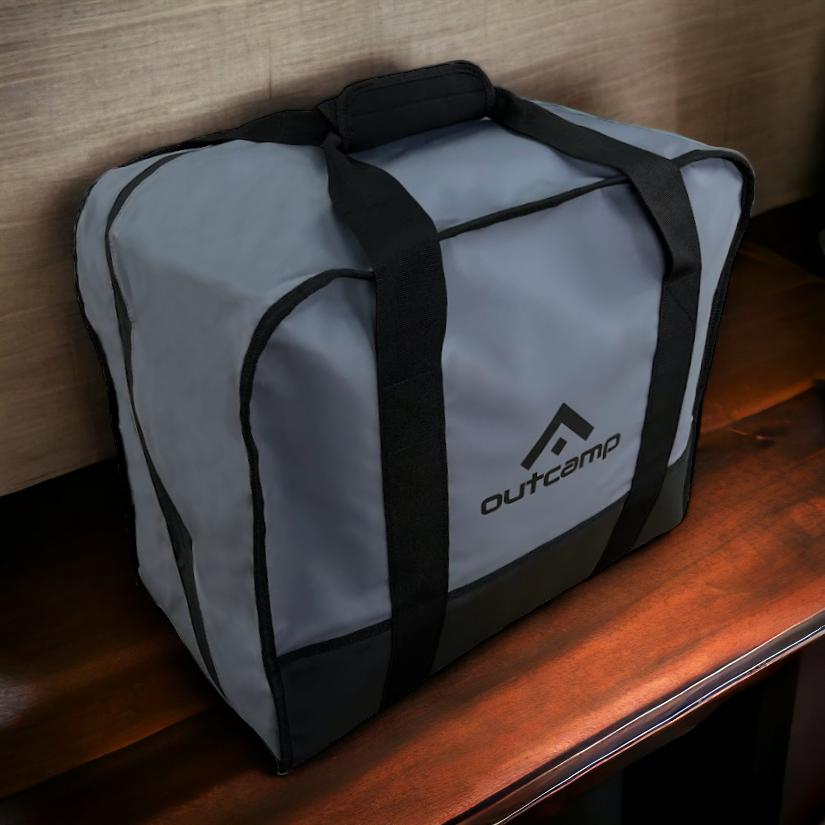
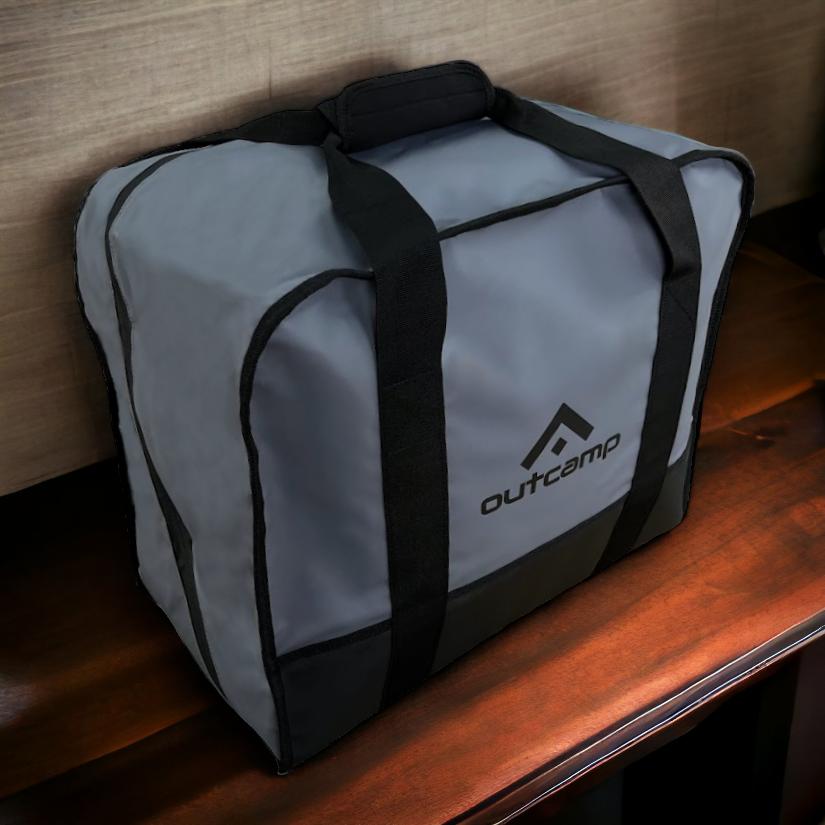
If the terminal is the thing that carries the consultation, it should be stored like the defibrillator and not like the chainsaw. That means a case, a known location, and a nominated person who checks it. The Starlink Mini Hard Protective Travel Case is a small piece of that answer, but the discipline matters more than the product.
The reason is simple. A terminal that lives loose in a toolbox arrives with a scratched face, a bent kickstand and a cable that has been crushed against a spanner for six months. It will still connect on a clear day. It is the marginal night, with cloud and a low elevation, where that damage turns into a dropped consultation.
Label the case and put it where the first aid gear lives, not in the communications cupboard behind the site manager's filing. In an emergency people go to the medical kit, and the terminal should be on the same shelf. That single decision removes the most common delay in the whole chain: nobody can find the dish.
The governance layer nobody writes down
Hardware is the visible part of telehealth on remote worksites. The invisible part is the set of agreements around it: who can start a consultation, what is said on the call, where the record goes, and who is responsible when the link fails halfway through. Sites that skip this step end up improvising policy at the worst time.
None of it needs to be elaborate. A one-page protocol, agreed with the medical provider and understood by supervisors, covers ninety per cent of what actually happens.
Consent, privacy and the room you use
A video consultation is a health record being created in a workplace. That means the patient gets a say in where it happens and who is in the room, and it means the room should be somewhere a person can be examined without an audience. A demountable office with a door is usually enough.
Keep the link itself out of the clinical conversation. A shared terminal that also serves the crib room is a terminal with a queue, a login everyone knows and a browser history. Segmenting work traffic from personal use is the same discipline that keeps a site network defensible, and it applies doubly to a machine that carries medical information.
Consent also covers the recording. Some providers record consultations for quality and training, and some do not. Either way, the crew should know before the call starts, and the answer should be in the protocol rather than negotiated on camera.
Records that survive the handover
The consultation ends when the clinician hangs up, but the site's obligations do not. Someone needs to write down the time, who was involved, what was advised and what was done. When the retrieval team arrives, that note is the clinical handover, and when an incident is reviewed later, it is the only contemporaneous account.
Photos help here more than paragraphs. A timestamped image of the injury before treatment, stored with the incident report, answers questions that a written description cannot. That is another reason the link and the record should live on the same device rather than being handled by whoever happens to have a phone.
Finally, close the loop. If the link failed, log why. Two or three entries of the same cause turn into a maintenance job; none turn into a repeat performance six months later.
Frequently asked questions
Can a satellite link be trusted for a video consultation?
Yes, provided it is a modern low-earth-orbit service with a clear view of the sky and its own power supply. The technology is not the weak point. Setup, siting and power are, and those are all things a site can control before an incident rather than during one.
What should happen if the link drops mid-consultation?
Fall back to voice immediately and keep the clinician on the line while someone restarts the terminal or checks the power. Most platforms will reconnect a dropped video call. The failure to avoid is everyone going quiet at once, which turns a recoverable interruption into a lost consultation.
Do we still need a qualified first aider on site?
Always. Telehealth is a consultation channel, not a treatment capability. The clinician on the screen can advise and direct, but somebody physically present has to control bleeding, splint a limb and hold a dressing. The link makes that person more effective. It does not replace them.
Treating the link as safety equipment
Telehealth on remote worksites works when the site treats connectivity the way it treats any other control: specified, checked, maintained and owned by a named person. The equipment is modest — a terminal, a mount, a battery-backed supply, a case and a cable — and the discipline is what turns it into something you can rely on.
The point of the kit is not to have an answer for every scenario. It is to remove the small, predictable failures — the dish in a toolbox, the flat battery, the terminal nobody could find — so that the clinician gets a clear picture and the crew gets a decision rather than a delay.
Outcamp builds mounts, power supplies and protective gear for exactly this kind of work. If you are assembling a telehealth kit for a remote site, the Portable UPS Power Supply and the Hard Protective Travel Case are the two pieces that most often decide whether the link is still up when it matters.




Leave a comment (all fields required)