


Starlink Mini Mobile Office: 4x4 and Ute Setup Guide
For Australian tradies, field engineers, project managers and remote workers, the vehicle has become the new desk. A growing share of the working week is now spent away from any depot, yard or head office — on a worksite, a client property, a remote lease, or simply on the move between jobs. What used to be dead time is increasingly billable time, provided you can stay properly connected. That is exactly where a Starlink Mini mobile office changes the game.
This guide covers the full practical picture: the mounts that suit different work vehicles, the power solutions that keep the dish running whether the engine is on or off, the cables that tie the system together, and the layout decisions that make a ute tray or 4x4 cabin genuinely usable as a workspace. Whether you are running your own trade or managing a multi-vehicle field team, the aim is the same — fewer trips back to town, fewer delays, and a mobile office that actually holds up to Australian conditions.
Why the Mobile Office Has Become the Norm for Australian Field Workers
The old model was simple: drive to site, do the job, drive back to process paperwork. That worked when connectivity was binary and the paperwork was physical. It does not work when site supervisors expect instant photo uploads, clients ask for live updates, and project management platforms assume you have a live connection on hand. The Starlink Mini mobile office solves the last great friction point for mobile work in Australia — reliable internet in the same place you happen to be, regardless of mobile coverage.
What has shifted is not just technology but expectation. Crews are quoting, invoicing, ordering materials, filing compliance forms and joining toolbox talks from the cab of the vehicle. Downtime caused by no signal is no longer an accepted part of the job. A well-built mobile office pays for itself quickly in time saved and trips avoided.
The economics of staying on site
A single half-day trip back to an office or a point of coverage can burn two hours of labour, fuel, and the downstream momentum of the rest of the job. For a working tradie, that often represents hundreds of dollars before overheads. Eliminating even a couple of those round trips per week changes the maths of a project significantly.
The other quiet cost is decision-making delay. When a supervisor has to wait hours for a photo of a damaged fitting, work stalls. When an electrician cannot pull a wiring diagram from a cloud drive, a crew sits idle. Real-time connectivity from the vehicle keeps the job moving and removes the bottleneck that used to sit on the foreman’s phone.
There is also a quality-of-life payoff worth naming. Workers who can resolve admin from the vehicle rather than after dark at home get time back. That matters on long FIFO rosters, regional swings and rural contracts where work already cuts deeply into personal hours.
Industries driving the shift
Trades and construction are the obvious category — builders, sparkies, plumbers, civil contractors — but the move to mobile-office setups is now widespread. Agricultural contractors need live data links for precision spraying and harvest logistics. Mining and oil and gas service crews rely on site-level connectivity for safety reporting. Surveyors, geotechs and environmental consultants push large data files from the field. Each of these workflows assumes the vehicle itself is online.
Government and emergency services field teams have joined the shift too. SES crews, rural fire brigades, council ranger teams and Parks staff are increasingly expected to run dashboards, map overlays and body-camera footage while on patrol. A fixed office connection at regional headquarters is no longer enough.
Even traditionally low-tech industries are adapting. Livestock carriers, long-distance drivers, rural tradies and travelling sales reps all benefit from a mobile office that works the moment the handbrake is on. The common thread is simple: the vehicle has to be a fully functioning node on the network, not just a transport pod.
What a mobile office actually needs
A proper Starlink Mini mobile office needs four things working together: a stable mount, clean power, tidy cabling, and sensible ergonomics for the devices that actually do the work. Skip any one of them and the setup becomes a hassle that gets left in the toolbox.
A stable mount means the dish stays put on rough tracks and does not need to be re-aimed after every corrugated road. Clean power means the Starlink Mini runs reliably from the vehicle electrical system without upsetting the starter battery or dropping out mid-upload. Tidy cabling keeps the tray and cabin safe to work in. And ergonomics means screens, phones and tablets live where you can actually reach them.
The good news is that none of this requires a custom fitout. With the right off-the-shelf accessories from Outcamp, the same core system adapts to most Australian work vehicles in an afternoon.
Mounting Starlink Mini on Your Work Vehicle
Mounting is where most mobile office builds succeed or fail. A dish bolted in the wrong place, or held on with a compromised bracket, becomes a constant annoyance: it has to be re-aimed, it flops around on corrugations, or it catches on branches and canopies. Picking the right mount for your vehicle shape is the single most important decision in the setup.
Outcamp stocks a broad mount range specifically engineered around Starlink Mini, covering almost every common Australian work vehicle body style. The aim is to match the mount to how the vehicle is actually used — parked for long shifts, driven between multiple daily sites, crossing rough country, or towing.
Ute tray and canopy mounts
For dual cab utes with a tray or canopy, the most common options are the Starlink Mini Sports Bar Ute Mount and the Starlink Mini BullBar/Railing Mount. Both clamp to existing structural bars without drilling, keep the dish elevated above canopy rooflines, and give a clean line of sight to the sky. For canopies with top rails, a clamp mount is often the fastest way to add Starlink to a vehicle already kitted out for touring or work.
If your canopy or tray includes a flat roof or tray top plate, the Starlink Mini Flat Mount gives a low-profile permanent fit. It sits closer to the bodywork, is less affected by crosswinds at highway speed, and does not add vertical height in low-clearance sheds or awnings.
Where a dish needs to come on and off between sites, the Starlink Mini Magnetic Mount and the Starlink Mini Alloy Magnetic Mount With Shield are built for this. Drop the dish onto a steel tray or canopy roof in seconds, pack it away at the end of the day, and leave nothing permanent behind on a shared vehicle.
4x4 roof rack, bull bar and sports bar mounts
Wagon-style 4x4s — LandCruisers, Patrols, Prados, Pajeros, Everest, Isuzu MU-X — usually run a roof rack or roof platform. The Starlink Mini Roof Rack Mount and the Starlink Mini ARB Baserack Compatible Mount are designed to lock onto these platforms directly, keeping the dish high and clear of antennas, lights and gear.
For vehicles already fitted with a steel bull bar, a front-mounted option using the Starlink Mini BullBar/Railing Mount can work for shorter stationary jobs, but most fleet operators prefer a roof mount for long shifts because the sky view is unobstructed and the dish is protected from low strikes.
Many 4x4 fleets also add a secondary portable mount for when the main vehicle is parked out of line-of-sight. The Starlink Mini Portable Magnetic Roof Mount or the Starlink Mini Tripod Mount lets a field worker reposition the dish onto a utility vehicle, a temporary pole, or ground-level setup without losing the main fit on the 4x4.
Temporary and removable options
Not every mobile office is a permanent install. Hire vehicles, shared crew cabs, consultant utes and short-term contractor vehicles often need a fully removable mounting solution. For these, the MagLock Pro Magnetic Vehicle Mount and the Starlink Mini Suction Mount are purpose-built. They leave no drill holes, no adhesive residue and no trace when removed.
For site supervisors who spend half the day inside the cab and half outside, the Starlink Mini 2-in-1 Magnetic Mount and Hard Cover combines storage and rapid deployment. The dish lives in its case during the drive and drops onto the roof in seconds on arrival.
For team leaders who move between a vehicle and an on-site cabin, the Starlink Mini Clamp on Universal Mount is an easy way to transfer the dish from the vehicle to a trestle, a handrail or a scaffold pole without buying a second unit.
Power That Matches Your Work Rhythm
Power is the second decision that breaks most improvised mobile offices. Running Starlink Mini off a cheap inverter or a dodgy lighter socket works until it does not, and the moment the dish drops out mid-video call, the productivity case collapses. A proper power solution is matched to how long the Starlink needs to run, whether the engine is off, and what else the vehicle is powering at the same time.
Starlink Mini is comparatively efficient, but it still draws steady current any time it is online. Designing the power side of the mobile office around the longest realistic day in the field, not the shortest, is always the right move.
Running Starlink off the vehicle battery
For most workers, the cleanest approach is a permanent or semi-permanent wire into the 12V system. The Starlink Mini 12V to 24V Power Supply (Anderson Plug) and the Starlink Mini 12V to 30V Power Supply (Anderson Plug) both convert the vehicle voltage to the Starlink Mini’s native input, delivering stable power from a dual-battery setup or auxiliary battery. Anderson plug connections are standard across Australian touring and trade vehicles, so the system plays nicely with existing fitouts.
For vehicles without an auxiliary battery, the Starlink Mini Cigarette Lighter Power Supply (165W USB-C) and the Starlink Mini Car Power Adapter (12V/24V to 20V DC) work from a single-battery vehicle while the engine is running or idling. These are a good fit for workers who are typically on the move or parked only for the length of a site visit.
For a hardwired install on a new-build canopy or fleet vehicle, the Starlink Mini 20V Hardwired Power Socket with Integrated Voltage Booster lets you run a neat permanent socket inside the canopy or tray, with the dish simply plugged in and unplugged on arrival. Combined with a Remote Control Operated 12V-24V Power Supply, the whole system can be switched on from the driver’s seat before the kettle is even on.
Portable and tool-battery power options
For crews already running Makita or Milwaukee cordless platforms, one of the smartest upgrades is the Starlink Mini Makita 18V Battery Connector or the Starlink Mini Milwaukee 18V Battery Adapter. Pop any spare 18V battery onto the adapter and run Starlink off it for hours, no vehicle battery draw at all.
The PeakDo Power Dock for Makita takes the same concept further, combining battery adaption with a more robust base plate and cable management. It is particularly well suited to teams working off the back of a tray where the vehicle battery is already doing enough and the tool batteries are already charging overnight anyway.
The PeakDo LinkPower 2 Portable Power Bank (99Wh) is built specifically for Starlink Mini and sized to be airline carry-on compatible. It is the best option for a consultant, surveyor or inspector whose work takes them away from the vehicle for long stretches, or who flies regionally between sites.
Uninterrupted power for serious workdays
When connectivity has to be continuous — live safety monitoring, video conferences, remote consults, broadcast feeds — the Starlink Mini Portable UPS Power Supply (7-10 Hours) is the right tool. It buffers the dish against brief power interruptions when swapping from vehicle to mains or from battery to battery, and provides a full workday of runtime on its own.
For larger fleet installs, stacking a UPS between the vehicle battery and the Starlink Mini ensures that even cranking loads, winching or air-compressor spikes do not cause the connection to drop. Field crews who rely on ongoing uploads during a working day quickly learn how much value a clean power buffer adds.
The Starlink Mini Explorer Bundle Pack packages the most-requested power and mounting components together for exactly this kind of always-on mobile office. It is aimed at workers who do not want to assemble a setup piece by piece and just want a proven combination that runs.
Cables, Cable Management and Weather Protection
Cables are the invisible half of a mobile office. A beautifully mounted dish and a great power supply can still be undone by a cable that gets snagged on a toolbox lid or fouled by a canopy door. Picking cables that match the vehicle layout is what separates a setup that survives a year of work from one that gets pulled out and rebuilt every few months.
The Outcamp cable range is built around this problem. Lengths, connector types and pass-through options are designed to run cleanly through typical trade vehicles, not generic consumer scenarios.
Choosing the right power cable
The Starlink Mini Anderson Plug to DC Power Cable (5.0M) is the workhorse for most vehicle installs. Five metres is long enough to run from a dual-battery tray setup through a cabin or canopy to a roof-mounted dish without needing joiners.
The Starlink Mini DC Extension Cable fills the gap when the layout is longer than expected — trays with rear-mounted auxiliary batteries, caravan-to-tow-vehicle runs, or dual-cab utes with in-cabin power sources. The Starlink Mini Hardwire Power Cable (3.0M) is a shorter option for compact installs where the power source is directly under the dish.
For multi-purpose setups, the Starlink Mini 3-in-1 DC Power Cable (USB-C/DC/Cigarette Lighter) is a single cable that covers most scenarios, including jobs where the same Starlink Mini moves between a ute, a caravan and a portable power bank. The Starlink Mini 2-in-1 DC Power Cable + RJ45 Data brings ethernet into the same cable run, which matters if your mobile office uses a hardwired laptop or a dedicated router.
Keeping the interior clean and safe
Once cables enter the cabin, management matters. Magnetic Cable Tie Mounts and Magnetic Hooks let cables run along steel bodywork or bull bars without drilling or adhesives. They are easy to reposition and particularly useful for shared fleet vehicles where each driver may prefer a slightly different routing.
A Waterproof DC Wall Socket Passthrough is the right fitting for canopies, camper trays, cabins and caravans where cable has to pass through a sealed panel. It maintains the weather seal while giving a tidy, trade-grade finish. Without it, DIY drill-through cables tend to become water ingress points during the first heavy rain.
The Starlink Symbol Rocker Switch is a small touch that makes a big difference on long jobs — a dashboard or canopy-mounted switch that isolates the dish from the battery overnight without unplugging anything.
Protecting the dish from the elements
An external roof-mounted dish lives a hard life. Coastal corrosion, dust, UV, hail and low branches all take their toll. The Starlink Mini Dish Protector Shield adds a hard barrier without blocking the satellite view. The Starlink Mini Silicone Cover and Starlink Mini Clear Protective Cover help with UV and dust when the dish lives permanently outside the canopy.
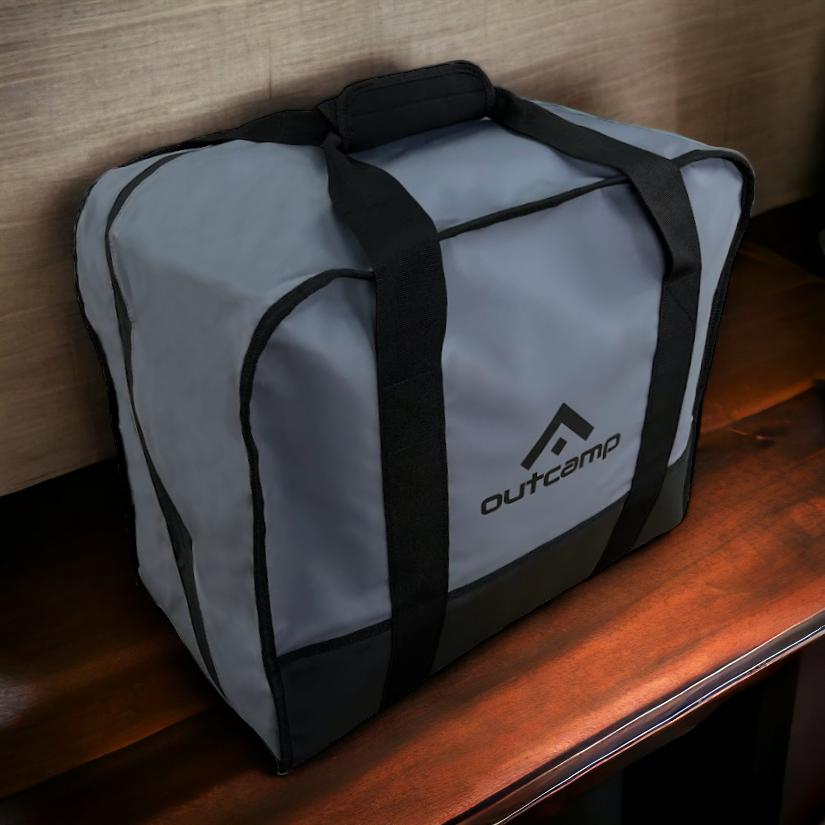
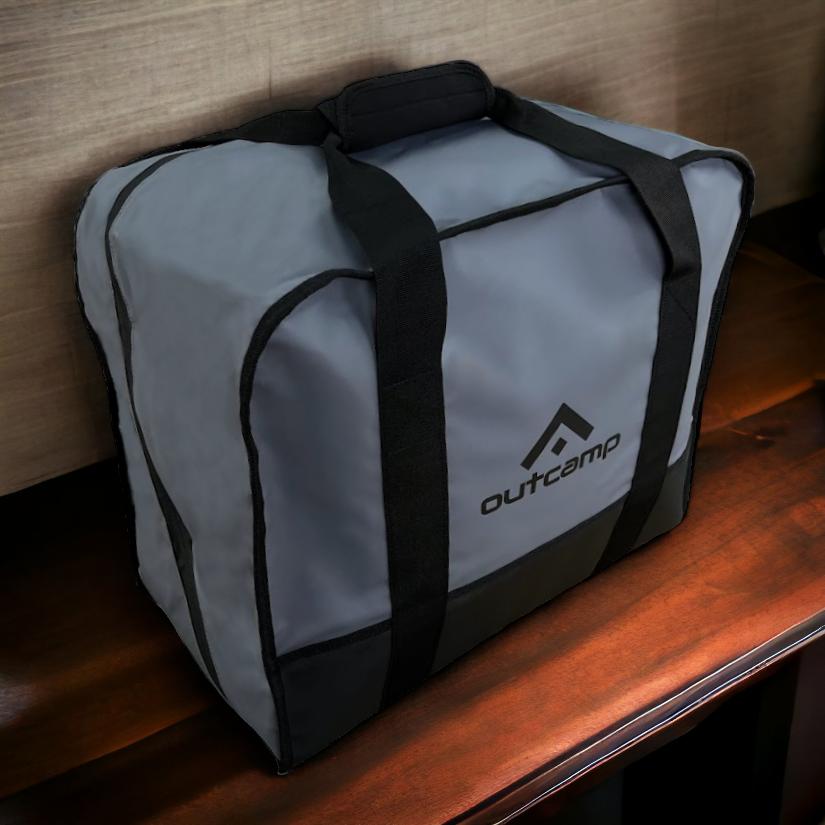
For vehicles where the dish is removed between shifts, the Starlink Mini Hard Protective Travel Case and Starlink Mini Carry Bag protect it during storage in a toolbox, canopy drawer or cab footwell. These are cheap insurance against dropped dishes and crushed corners.
On marine vehicles, mining service utes and coastal construction vehicles, pair the dish protection with the Gen 3/Mini SPX to RJ45 Waterproof Ethernet Adapter Kit and Gen 3/Mini Waterproof Connector Ethernet Cables to keep the network connection sealed at the same rating as the rest of the build.
Practical Mobile Office Layouts by Vehicle Type
The last step is laying out the inside of the vehicle so the mobile office is actually usable. Connectivity is only one part of productivity — you still need a place to rest a laptop, charge a phone, aim a camera for a video call, and keep a tablet visible. The Outcamp modular mount system is designed to solve exactly this problem and integrate neatly with the Starlink setup on the roof.
The trick is to standardise on one mount ecosystem. With a shared 1.5" ball-mount pattern across laptop trays, tablet holders and phone cradles, the whole interior can be reconfigured in minutes as jobs change.
Dual cab ute with canopy
A typical dual cab layout runs the Starlink Mini on a canopy sports bar or flat roof, powered from an auxiliary battery inside the canopy. Inside the cab, a 1.5" ball mount on the dashboard holds a tablet for site diagrams, while a second mount on the centre console holds a phone for calls. A Double Socket Arm between them makes both easy to reach from the driver’s seat.
For supervisors running a full laptop, a VESA 75x75 Adapter paired with a clamp base turns the passenger seat or centre console into a reliable laptop stand. It is far safer and more comfortable than balancing a computer on knees, and it means the Starlink connection is actually being used productively.
Add the 180W Fast Multi-Port Car Charger for keeping phones, tablets, radios and body-cams topped up through the day, and the cabin becomes a genuine workspace rather than a transit seat.
Wagon style 4x4 (LandCruiser, Patrol, Everest)
Wagon 4x4s trade some tray flexibility for a more enclosed cabin. The typical setup places Starlink Mini on a roof rack or roof platform with the Starlink Mini Roof Rack Mount or Starlink Mini ARB Baserack Compatible Mount. Power comes from either a rear-mounted auxiliary battery or a drawer-mounted portable power source.
Inside, the second row often becomes a mobile desk on long jobs. A Fish Finder Plate Adapter on the back of a headrest, paired with a 1.5" ball mount and a tablet holder, gives a client-facing screen when meeting with stakeholders in the field. The Camera Thread Adapter lets you mount a video camera or DSLR for broadcast-quality video on the same mount system, which matters for media crews and safety assessors.
For longer field deployments, the PeakDo LinkPower 2 sits neatly in a drawer fitout and keeps the Starlink running even when the vehicle is parked and locked for hours at a time.
Single cab with tray
Single cab utes are the most constrained cabin, which makes tidy mounting essential. Starlink Mini sits on a cab-mounted sports bar or headboard with the Starlink Mini Sports Bar Ute Mount. Power runs down through a Waterproof DC Wall Socket Passthrough into the cabin with the Starlink Mini Hardwire Power Cable (3.0M).
Inside, dashboard space is limited, so the focus shifts to windscreen and sun visor mounting. The Dashboard/Windscreen Starlink Mini Mount, paired with 1.5" ball mounts for a phone and tablet, keeps everything within a driver’s natural line of sight without crowding the small console.
The Starlink Mini Milwaukee 18V Battery Adapter or Makita equivalent is a particularly good fit for single cab utes where a full auxiliary battery install is overkill. Trade batteries already travel in every toolbox on the tray, and running Starlink directly from one removes the need for a separate power build entirely.
Starting or Upgrading Your Mobile Office
A modern mobile office does not require a custom bespoke build — it requires a handful of the right components in the right combination. A good mount, clean power, sensible cabling and a thought-out cabin layout turn any ute or 4x4 into a productive workspace the moment the handbrake is on.
For crews starting from scratch, the Starlink Mini Explorer Bundle Pack is the fastest way to reach a working setup, and most vehicles can be fully kitted out with one or two extra accessories tailored to the body style. For workers already running Starlink Mini but fighting ongoing power dropouts, mount rattles or cable spaghetti, an upgrade to matched Outcamp components almost always pays for itself in a week of reclaimed time.
If you are planning a mobile office build for your ute, 4x4 or fleet, browse the full Starlink Mini accessory range at Outcamp. Every mount, cable and power supply is designed around the reality of Australian work — long days, rough roads, dusty sites, and the kind of weather that punishes anything less than properly built gear.




Leave a comment (all fields required)