


Shielding the Dish: A Technical Guide to Weatherproofing Starlink Mini for Extreme Australian Conditions
In the vast and unforgiving landscape of regional Australia, the environment is the primary adversary of technology. Whether you are operating on a mine site in the Pilbara, a cattle station in the Kimberley, or a construction zone in the Top End, the conditions are a relentless assault on electronic hardware. We are talking about fine, abrasive red dust that can penetrate even the tightest seals, tropical monsoons that drop a month's worth of rain in an hour, and an intense UV load that can turn standard plastics brittle in a single season. For the professional relying on Starlink Mini for mission-critical communications, the stakes are high. A hardware failure caused by environmental ingress isn't just an equipment loss; it is an operational blackout that can stall production and compromise site safety.
The Starlink Mini arrives with an IP67 rating, which is a respectable technical floor. It is dust-tight and can survive being submerged in water for up to thirty minutes. However, an IP67 rating is a laboratory benchmark, not a guarantee of multi-year survival in the outback. For long-term resilience, you must move beyond the standard out-of-the-box configuration and adopt a technical approach to weatherproofing. This guide provides a technical roadmap for hardening your Starlink Mini setup against the specific extremes of the Australian continent, focusing on mechanical protection, connector integrity, and thermal management. By standardising on high-quality accessories and rigorous maintenance protocols, you can ensure your communications link remains as resilient as the environment it operates in.
Hardening the Physical Perimeter
The first line of defence in weatherproofing Starlink Mini is physical shielding. While the dish face is designed to shed water and resist UV, it remains vulnerable to physical impact from debris, hail, and the cumulative effects of sand-blasting in high-wind zones. To maintain a resilient link, you must look at how to add layers of protection without compromising the dish's ability to communicate with the low-earth-orbit constellation.
Shielding from UV and Impact
The Australian sun is a powerful force for material degradation. Constant exposure to direct UV can lead to thermal gain and eventual casing fatigue. A Starlink Mini Silicone Cover or a Starlink Mini Clear Protective Cover adds a vital sacrificial layer. These covers are engineered to absorb the brunt of the UV load and provide a buffer against the physical knocks and bumps that are inevitable on a working site. The silicone cover, in particular, offers excellent shock absorption and helps to shed water more efficiently during heavy downpours. By adding this layer, you are protecting the integrity of the primary seals and extending the operational life of the hardware.
Beyond UV protection, a silicone cover provides a high-friction surface that can assist in temporary positioning. It also dampens high-frequency vibrations that can be transmitted through vehicle mounts on corrugated roads. For the professional user, this isn't just about aesthetics; it is about reducing the mechanical stress on the unit's internal components. When the ambient temperature hits forty-five degrees in the shade, having that extra layer of thermal isolation can be the difference between a high-speed data link and a hardware-protected reboot.
Protecting the Dish Face
While the white surface of the dish is hydrophobic, it is not immune to the abrasive effects of dust and grit. In regions prone to dust storms or high-velocity wind, the dish face can become pitted over time, which can eventually impact signal performance. Integrating a Starlink Mini Dish Protector Shield provides a secondary barrier against abrasive ingress. This shield acts like a 'screen protector' for your connectivity, ensuring that the primary optical surface remains clean and smooth. For professional operators, this is a low-cost insurance policy for a piece of equipment that serves as a communications lifeline.
The protector shield is also critical for deployments in coastal areas where salt spray is a constant factor. Salt crusting on the dish face can attenuate the signal and is notoriously difficult to remove without scratching the surface. By using a replaceable shield, you can conduct regular maintenance—simply wiping down or replacing the shield—without risking damage to the Starlink hardware itself. This approach maintains the long-term capital value of the equipment while ensuring peak performance in the most corrosive environments in Australia.
Managing Thermal Load in Extreme Heat
Australia frequently experiences temperatures well into the forties, which can push any fanless electronic device to its thermal limit. A dish mounted on a dark vehicle canopy or a hot metal mast is at risk of thermal throttling, where the unit reduces its performance to protect the internal circuitry. To manage this, look for ways to improve passive cooling. This might involve using a mounting arm to lift the dish away from hot surfaces, or ensuring that the silicone cover used has adequate ventilation or thermal properties.
Avoiding dark-coloured covers that can act as a heat sink is a technical best practice for outback deployments. Additionally, for static monitoring posts, creating a natural shade structure that doesn't block the dish's view of the sky can significantly reduce the peak operating temperature. Remember that the Starlink Mini router is integrated into the dish; if the dish overheats, your entire network goes offline. A proactive thermal management strategy is essential for any deployment north of the Tropic of Capricorn.
\"The outback doesn't care about your IP rating. If you aren't protecting your connectors and shielding your hardware from that red dust, it is only a matter of when, not if, the link goes down. Weatherproofing is a technical requirement, not an option.\"
Protecting the Integrity of the Connection
The most common failure point in any remote communications setup is the connection between the cable and the unit. In the Starlink Mini, the power and ethernet ports are the primary vectors for moisture and dust ingress. If the seals on these ports are compromised, the resulting corrosion can lead to intermittent signal loss or complete electrical failure.
Sealing the Data Link
Standard RJ45 ethernet cables are not designed for outdoor exposure. They lack the gaskets and locking mechanisms needed to maintain a waterproof seal under pressure. To harden your data link, you must standardise on industrial-grade networking gear. Using a Waterproof Ethernet Port RJ45 or a dedicated Gen 3/Mini SPX to RJ45 Waterproof Ethernet Adapter Kit is a non-negotiable step for any permanent or semi-permanent install. These components provide a mechanical lock and a compressive seal that prevents moisture from reaching the copper pins, even during driving tropical rain.
By moving the connection point to a specialised waterproof housing, you are effectively removing the most significant vulnerability from your setup. These adapters are designed to maintain the IP67 rating of the system even when a standard ethernet cable is used for the rest of the run. For site managers overseeing large construction or mining projects, this technical hardening reduces the frequency of 'mystery' connection drops and simplifies the troubleshooting process in the field.
Power Resilience and Waterproofing
Just like the data link, the power connection must be hardened against the elements. The standard barrel-style connectors used in consumer electronics are prone to arcing and corrosion when exposed to salt air or dust. For a resilient professional setup, moving to a direct DC power solution with integrated waterproofing is the standard. Using a Waterproof DC Wall Socket Passthrough for canopy or site-office installs allows you to maintain a sealed perimeter while providing a secure point of attachment for your power leads.
Standardising on high-current, vibration-proof connections like the Anderson plug on the input side further ensures that your power remains stable, regardless of the mechanical or environmental stress on the vehicle. When the rain is horizontal and the wind is pushing sixty knots, you need to know that your power connection isn't going to short out or corrode. Investing in waterproof power interfaces is the most effective way to ensure 24/7 uptime for your remote office or field telemetry system.
Managing Cable Routing and Drip Loops
Technical weatherproofing also involves how you route your cables. Water has a way of following a cable directly into a port if it isn't managed correctly. A "drip loop"—a simple U-shaped dip in the cable before it enters a unit or a passthrough—is a fundamental field technique. It ensures that gravity pulls water to the bottom of the loop where it can drip off harmlessly, rather than being guided into a sensitive connector.
Furthermore, ensuring that cables are secured with UV-resistant ties and protected from abrasion against machine edges prevents the jacket from being compromised. A compromised cable jacket can allow moisture to "wick" through the copper cores, leading to corrosion deep inside the equipment. On industrial sites, we recommend routing all external cables through protective conduit where possible, providing a mechanical barrier against both the weather and the physical rigours of the site.
Maintaining the Digital Perimeter
Weatherproofing is not a "set and forget" task; it is an ongoing maintenance requirement. The harsh Australian environment will eventually challenge even the best-engineered setup. To maintain a resilient link through 2026 and beyond, organisations must adopt a proactive inspection and maintenance cycle for their remote hardware.
Routine Inspections and Cleaning
Fine red outback dust is pervasive. It will find its way into every crevice, acting as an abrasive and potentially a heat insulator. Maintenance crews should conduct weekly inspections of the Starlink hardware. This involves checking the silicone covers for fatigue, verifying the integrity of waterproof seals, and cleaning the dish face and connectors. Using compressed air to blow out dust from around the ports and a damp cloth with plain water for the dish face are technical best practices.
Avoid using harsh chemicals or abrasive cleaners that can damage the hydrophobic coating or the seal materials. If you are operating in a coastal environment, regular rinsing with fresh water is essential to prevent salt buildup on the mounting hardware and connectors. A ten-minute inspection once a week can prevent a multi-day communication outage caused by a avoidable environmental failure.
Protecting Hardware in Transit
A significant portion of environmental damage occurs when the equipment is being moved between sites. A dish that is thrown into the back of a ute or a gear locker without protection is at high risk of mechanical fatigue and impact damage. Storing the unit and its associated cables in a Starlink Mini Hard Protective Travel Case during site mobilisations is a non-negotiable professional standard. This case provides a dust-tight, moisture-proof environment and prevents the vibration of corrugated roads from rattling the internal components of the dish.
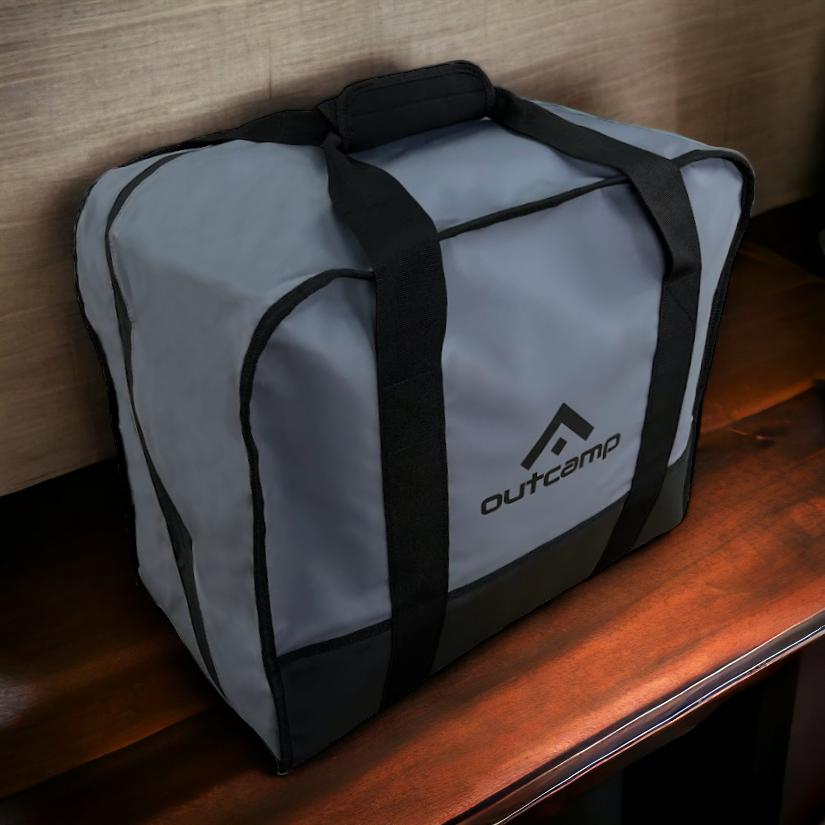
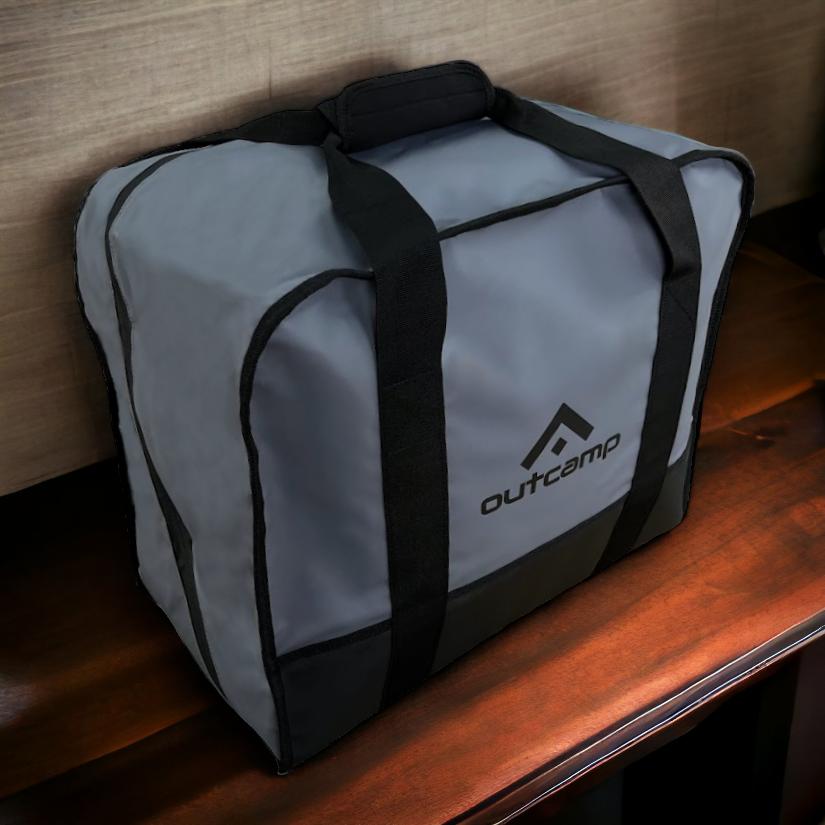
The hard case also ensures that all components stay together, reducing the risk of a technician arriving on-site with a dish but no waterproof power lead. For workers who move between fly-in fly-out (FIFO) sites, using a Starlink Mini Carry Bag or a dedicated travel backpack with TSA-integrated locks provides a portable but still protected alternative. Regardless of the form factor, the goal is the same: to keep the digital perimeter intact from the moment the team leaves the depot.
Standardising across the Operation
For organisations managing multiple remote sites or a fleet of service vehicles, the key to resilient comms is technical standardisation. By ensuring that every Starlink Mini unit is deployed with the same suite of weatherproofing accessories—the same silicone covers, the same waterproof ethernet adapters, and the same hard cases—you simplify the maintenance process and ensure a consistent level of reliability.
This approach also allows for faster troubleshooting in the field, as technicians are working with a familiar and proven hardware stack. In 2026, the 'connected outback' is built on a foundation of technical consistency. When every setup is hardened to the same standard, the overall resilience of the network increases, and the risk of a single environmental failure cascading into a major production delay is significantly reduced.
The Future of Resilient Field Comms
As we move deeper into 2026, the reliance on high-speed satellite internet for regional industry will only grow. We are moving toward a model of the "connected outback," where every remote asset and every lone worker is part of a live data network. But this digital future is only as strong as the hardware that supports it. By investing in the technical hardening of your Starlink Mini setup, you are future-proofing your comms against the inevitable environmental challenges of the Australian continent.
For the regional business owner, the site manager, or the field professional, the choice is clear. You can rely on the out-of-the-box hardware and hope for the best, or you can standardise on a technical floor of weatherproofing excellence. The accessories and protocols discussed in this guide represent that floor. They are the tools that bridge the gap between a consumer gadget and an industrial-grade communications backbone. If you are ready to harden your setup and eliminate environmental downtime, explore the full range of professional Starlink accessories from Outcamp today. Your data link—and your operation—will be more resilient for it.
FAQ: Weatherproofing Starlink Mini
Is the Starlink Mini waterproof enough for a Queensland monsoon?
The Starlink Mini is IP67 rated, which means it can handle dust and immersion in water for short periods. However, constant exposure to driving tropical rain can challenge the seals, especially at the cable entry points. Using a Starlink Mini Silicone Cover and a Waterproof Ethernet Port RJ45 adds an essential secondary layer of protection for extreme weather.
Can I leave my Starlink Mini out in the outback heat all day?
The dish is designed for high temperatures, but the extreme UV radiation in regional Australia can lead to material fatigue and hardware overheating. We recommend using a Starlink Mini Clear Protective Cover to shield the unit from direct UV and dust while maintaining a clear signal path.
How do I prevent dust from ruining my Starlink Mini connectors?
Fine red dust is the silent killer of remote comms. To prevent ingress, ensure all ports are sealed with waterproof adapters when in use, and store the unit in a Starlink Mini Hard Protective Travel Case during transits. Regular inspections and cleaning with compressed air or a soft cloth are technical best practices.
Conclusion
The isolation that once defined the Australian outback is being dismantled by the technical convergence of high-speed satellite internet and resilient hardware integration. With Starlink Mini, the comms bottleneck has been removed, but the environmental challenge remains. Successful adoption of this technology hinges on more than just the satellite link itself; it requires a commitment to technical excellence in how the hardware is protected and maintained in the field.
By standardising on weatherproofing solutions like the Starlink Mini Silicone Cover and industrial-grade networking gear like the Gen 3/Mini SPX to RJ45 Waterproof Ethernet Adapter Kit, Australian regional operators can ensure their comms remain as resilient as the vessels and vehicles they command. As we move deeper into 2026, those who leverage these tools to protect their communications lifeline will find themselves at the forefront of a more efficient, safer, and more productive Australian industry. If you are ready to build a bombproof comms setup, explore the full range of Outcamp Starlink accessories today.




Leave a comment (all fields required)