


Starlink Mini for Construction: Reliable Internet on Remote Australian Job Sites
Managing a construction project in remote Australia comes with a connectivity challenge that rarely gets the attention it deserves. When your engineering consultant is in Brisbane, your structural drawings are hosted in the cloud, and your principal contractor expects daily progress uploads, a single bar of weak 4G is not a workable communications infrastructure. It is a liability.
The pace of digital transformation in the construction industry has been rapid. Project management platforms, BIM collaboration tools, digital SWMS submissions, and real-time safety reporting systems all assume a functioning internet connection. For construction businesses working beyond the coverage fringe of Australia's mobile networks, this assumption breaks down — and the consequences show up in delays, rework, compliance failures, and worker welfare problems that compound over the life of a project. Starlink Mini has changed the practical options for remote job site connectivity in a meaningful way. Compact, portable, and capable of delivering genuine broadband speeds from anywhere with a clear sky view, it gives construction teams the real-time connectivity they need without the cost, complexity, or inflexibility of traditional satellite solutions.
Why Mobile Networks Fail Remote Construction Sites
The gap between Australia's mobile coverage maps and on-the-ground reality is significant, and construction sites expose this gap more reliably than almost any other work environment.
Coverage maps typically show outdoor signal at ground level in open terrain. A construction site is a dynamic environment surrounded by earthworks, heavy machinery, steel structures, and temporary buildings — all of which attenuate signal further. Teams working on remote civil, resources, or infrastructure projects frequently find themselves in areas that fall within theoretical coverage zones but deliver connection quality unsuitable for reliable data transfer.
The Real Cost of Connectivity Gaps
When site teams cannot access cloud-hosted documentation in real time, the project runs on outdated information. A subcontractor who proceeds with work based on a drawing revision from three days ago may complete work that does not conform to the current specification. The cost of demolishing and rebuilding non-conforming work can run from thousands to hundreds of thousands of dollars depending on the scope — and the root cause is often as simple as an inability to download a revised PDF on site.
Delays to RFI (request for information) responses compound across a project timeline. When a site manager raises a query that requires photographic evidence, a sketch, or a marked-up drawing, poor internet means those files take hours to transmit rather than minutes. Consultants who could resolve an issue in one quick video call end up responding to a chain of compressed, blurry email attachments that leave the question partially unanswered.
The financial modelling on project delays and rework consistently shows that the cost of prevention is a fraction of the cost of rectification. A Starlink Mini subscription costs a modest monthly sum. A single day of site downtime on a commercial construction project typically costs many times more in labour, plant, and contract penalties.
SafeWork Compliance in the Digital Age
Australia's WHS legislation places clear obligations on principal contractors and employers around documentation, incident reporting, and hazard management. The practical administration of these obligations has shifted substantially toward digital systems — contractor management platforms, cloud-based SWMS libraries, and online induction portals that require internet access to function.
For sites in jurisdictions with strict reporting timeframes — a serious incident must be reported to the relevant regulator within defined windows — the inability to lodge digital documentation on time is not just an operational inconvenience. It is a potential regulatory breach. Connectivity is, in this sense, a compliance infrastructure requirement, not just a productivity tool.
Lone worker monitoring applications used across remote construction and civil works environments also require a data connection to function. Without reliable internet, these systems default to SMS-only check-ins or fail altogether, removing a safety layer that principal contractors increasingly mandate as a site requirement.
Worker Wellbeing and the Isolation Problem
Extended rotations on remote construction sites are a documented risk factor for psychological distress. Workers separated from their families, regular social networks, and urban services for weeks at a time experience elevated rates of anxiety, depression, and relationship strain. The construction industry has among the highest rates of worker suicide in Australia, and remote postings are a contributing factor to the isolation that underlies this statistic.
The ability to make a video call home at the end of a shift matters. It is not a soft benefit — it is a meaningful intervention that reduces the psychological burden of remote work. When a worksite provides reliable WiFi for personal communications, it signals to workers that their wellbeing is a genuine organisational priority. That signal influences engagement, retention, and safety behaviour in measurable ways.
A Starlink Mini connection shared across a site via a standard WiFi router costs less per worker per day than almost any other wellbeing initiative a business could implement. The proportional benefit is difficult to match.
Practical Applications Across the Construction Project Lifecycle
The value of reliable connectivity compounds across the full duration of a project. From initial site establishment through to practical completion and handover, there are dozens of daily workflows that become faster, more reliable, and more compliant when the site is properly connected.
Understanding where connectivity delivers the highest return helps project managers prioritise the deployment and make the case to senior management or clients who may question the cost.
Site Establishment and Early Works
In the earliest phase of a project, when the site office is a temporary shed and the compound is still being established, connectivity is often most critical and least available. Survey data needs to be uploaded. Geotechnical reports need to be accessed. Environmental compliance conditions need to be reviewed. The project team is in its most intensive coordination phase, and communication delays are most costly.
Starlink Mini can be operational within minutes of arriving on site. Place the dish on the Starlink Mini Tripod Mount, connect via the Starlink Mini Anderson Plug to DC Power Cable (5.0M) to a site generator or vehicle auxiliary system, and you have a broadband connection capable of supporting a site office. There is no provisioning lead time, no technician visit, and no fixed infrastructure to establish.
For the site foreman's vehicle — typically a ute or 4x4 that moves around the project during early works — the Starlink Mini Roof Rack Mount or Starlink Mini BullBar/Railing Mount provides a stable, elevated position for the dish, maintaining connectivity as the vehicle moves across the site or travels between locations. The Starlink Mini 12V to 24V Power Supply (Anderson Plug) powers the dish directly from the vehicle's auxiliary battery system.
Project Delivery and Coordination
During active construction, the demands on site connectivity are continuous. Project management platforms like Procore and Aconex require reliable upload and download speeds for large file attachments — architectural drawings, structural calculations, and high-resolution progress photographs. Video conferencing with consultants, clients, and head office teams requires stable, low-latency connections that mobile hotspots in marginal coverage zones cannot consistently provide.
Starlink Mini's connection is sufficient to run simultaneous video calls, cloud synchronisation, and IoT sensor data transmission without meaningful performance degradation. By connecting the dish to a network switch using the Starlink Mini/Gen 3 Ethernet Adapter (4 Ports), the site office can support multiple wired workstations, a WiFi access point for wireless devices, and a network-attached storage device — all running off a single Starlink Mini connection.
BIM coordination meetings — where project teams in multiple locations review a shared 3D model in real time — are particularly dependent on low latency and consistent bandwidth. Starlink Mini's LEO (low earth orbit) satellite architecture delivers latency significantly lower than traditional geostationary satellite internet, making it suitable for interactive cloud-based BIM collaboration sessions. This was previously impossible from remote sites using standard satellite connectivity.
Inspections, Testing, and Handover
In the final stages of a project, the pace of documentation and compliance activity intensifies. Inspection and test plans must be submitted and signed off. Commissioning records must be uploaded to client systems. Defects lists must be managed in real time across multiple work fronts. Warranties, operation and maintenance manuals, and as-built drawings must be compiled and transmitted to the client within contractual timeframes.
All of this activity is faster, more reliable, and more compliant with a properly connected site. The alternative — batching documentation for periodic upload when someone drives to town or returns to the city — creates delays and version control problems that slow down practical completion and extend the period during which the contractor carries cost and risk on the project.
Starlink Mini also remains relevant during the wind-down phase. As the site office is progressively decommissioned, a portable satellite internet solution is easier to keep running during the tail end of a project than a fixed solution that would require formal decommissioning and reinstatement of any penetrations or electrical modifications.
Setting Up Starlink Mini on a Construction Site
Deploying Starlink Mini effectively on a construction site requires attention to three things: power, mounting, and cable management. The right accessories make each of these straightforward, and the range available from Outcamp covers all the common deployment scenarios.
The primary decision is whether the setup is centred on the site office compound, a fleet of work vehicles, or both. Most medium to large remote construction sites benefit from a layered approach: a semi-permanent installation at the main compound, supplemented by a vehicle-mounted setup for supervisors and safety officers who spend significant time away from the compound.
Powering the Dish from Site Infrastructure and Vehicles
At the main compound, the cleanest approach is a hardwired connection to the site power board. The Starlink Mini 20V Hardwired Power Socket with Integrated Voltage Booster accepts a standard 240V input and delivers the 20V DC output Starlink Mini requires, with no additional converter needed. It can be mounted in a weatherproof electrical enclosure alongside other site services for a permanent, professional installation.
For vehicle-based deployment, the Starlink Mini 12V to 24V Power Supply (Anderson Plug) or the Starlink Mini Car Power Adapter (12V/24V to 20V DC) converts the vehicle's 12V or 24V electrical system to the voltage the dish needs. These connect via standard Anderson SB50 connectors, which are already fitted to most work vehicles in the construction sector. The Starlink Mini Anderson Plug to DC Power Cable (5.0M) provides the length needed to run from the vehicle's rear Anderson plug to a dish mounted on the roof rack or bull bar.
For work fronts far from the main compound where no vehicle is stationed, the Starlink Mini Portable UPS Power Supply delivers 7–10 hours of runtime from an internal battery. This allows a site supervisor or safety officer to establish a temporary connectivity point anywhere on the project without requiring vehicle power or a generator.
Mounting for Site Vehicles and Office Structures
The right mount depends on the vehicle type and how frequently the dish needs to be repositioned. For a site supervisor's ute that remains on site for the duration of a project, a permanent mount is the cleanest solution. The Starlink Mini Roof Rack Mount and the Starlink Mini BullBar/Railing Mount both provide a secure, elevated position that maintains the clear sky view Starlink requires, and withstand the vibration of off-road travel on site access roads.
For vehicles that carry the dish between projects or need it removed periodically, the MagLock Pro Magnetic Vehicle Mount provides a strong magnetic attachment that can be removed and reattached without tools. The Starlink Mini Alloy Magnetic Mount With Shield adds a protective flange that deflects wind and debris at speed, reducing aerodynamic drag during highway transit between sites.
For the site office shed, the Starlink Mini Flat Mount attaches directly to the roof surface with standard fasteners. Cable entry into the shed is handled cleanly by the Waterproof DC Wall Socket Passthrough, which provides a sealed penetration point for the power cable that maintains the weather resistance of the building envelope. Ethernet connectivity from the dish into the office uses the Gen 3/Mini Waterproof Connector Ethernet Cables, keeping connectors protected from dust and moisture.
Protecting Equipment in Demanding Site Conditions
Construction sites are hard on electronics. Dust, vibration, impact risk, and temperature extremes are routine. The Starlink Mini Hard Protective Travel Case provides secure, padded protection during transport between sites and for storage overnight when the dish is not deployed on a permanent mount. The rigid case construction resists the casual compression and impact damage that soft bags cannot prevent.
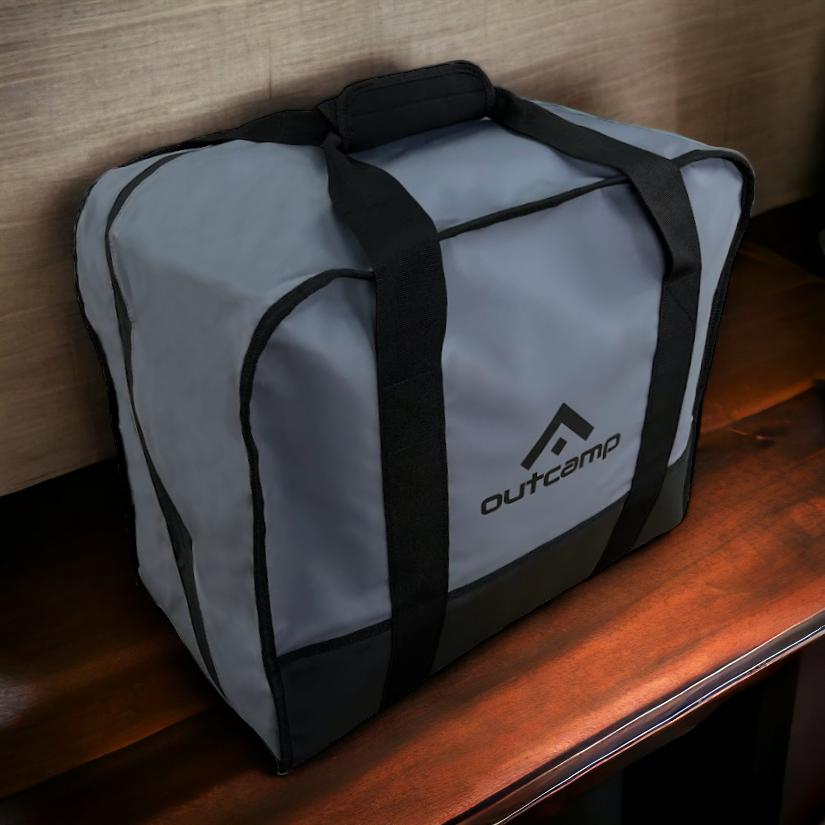
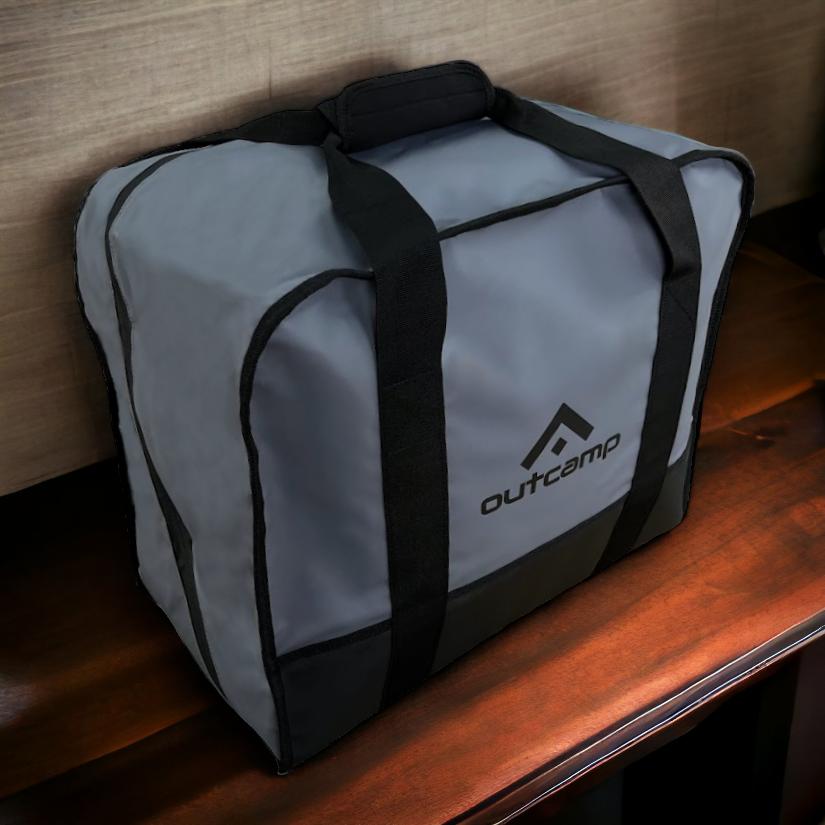
For ongoing site deployments, the Starlink Mini Silicone Cover reduces dust ingress and provides minor impact protection without interfering with the dish's field of view. For supervisors moving the setup between work fronts during the day, the Starlink Mini Carry Bag keeps the dish, power cable, and adapter together as a single portable kit that stows neatly behind a seat or in a ute tub.
Construction businesses that operate across multiple active sites simultaneously can rotate a single Starlink Mini setup between locations based on where connectivity is most critical — a flexibility that no fixed satellite or mobile network solution can match. The Starlink Mini Travel Backpack, which includes a USB charging port and TSA lock, makes it practical to transport a complete Starlink Mini kit on commercial flights to remote sites as carry-on luggage.
Conclusion: Starlink Mini as Job Site Infrastructure
Remote construction is one of the most demanding operational environments in Australia, and its connectivity requirements are growing, not shrinking. As project management, safety compliance, and worker welfare systems become increasingly reliant on real-time internet access, the cost of operating without reliable connectivity rises in parallel. Starlink Mini for construction sites meets that need in a form factor that is practical, affordable, and well-suited to the realities of remote job site work.
For construction businesses already operating in remote regions, deploying Starlink Mini is less a question of whether the investment is justified and more a question of how to deploy it most effectively. The right combination of mount, power supply, and protective accessories determines whether the setup performs reliably through a full project lifecycle or becomes a source of frustration in the field.
Outcamp stocks a comprehensive range of Starlink Mini mounts, power solutions, cables, and protective accessories designed for demanding off-grid deployments. Whether you are equipping a fleet of supervisor vehicles, establishing connectivity at a remote compound, or protecting your hardware for transport between project sites, the right accessories make all the difference. Explore the full range at outcamp.com.au and give your remote job sites the connectivity they need to operate at their best.




Leave a comment (all fields required)