


Australia's construction industry operates in some of the most geographically challenging environments on earth. From Pilbara iron ore infrastructure and Queensland gas pipeline corridors to remote road upgrades across the Northern Territory, construction teams are routinely deployed to locations where mobile coverage is non-existent and project timelines leave no room for communication failures. Starlink Mini is changing that — giving site managers, project engineers, safety officers, and subcontractors the kind of reliable internet connection that used to require expensive VSAT dishes or satellite phone contracts.
This article walks through how Australian construction businesses are deploying Starlink Mini on remote sites, how to mount and power it correctly across different site configurations, and which Outcamp accessories are making the difference between a clean installation and a frustrating one.
Why Remote Construction Sites Need Reliable Internet
The construction industry has undergone a quiet digital transformation over the past decade. BIM (Building Information Modelling) platforms, cloud-based project management tools, digital safety management systems, drone monitoring, and real-time supply chain coordination have all become standard on medium and large-scale projects. The problem is that most of this software assumes a reliable internet connection — and remote Australian construction sites rarely have one.
When connectivity fails, the consequences ripple through every layer of a project. A site foreman can't pull the latest structural drawings. A project manager loses visibility over progress reports. Safety observations don't get logged. Video safety inductions can't be delivered. Subcontractors can't submit variation requests or timesheets. Every hour of connectivity downtime translates into rework, delays, and administrative backlogs that compound across a project's life.
The Cost of Connectivity Gaps on a Build
Time-sensitive decisions that could be resolved in minutes via a video call instead drag out over days of email chains and satellite phone tag. When a structural discrepancy is discovered on-site, the engineer of record needs to see what the site team is looking at — and a 3G signal that cuts in and out isn't going to get that done. The same applies to RFI (Request for Information) workflows, which are notoriously time-sensitive on commercial builds where delays can trigger contractual penalties.
Beyond scheduling, poor connectivity creates safety risks. Many modern construction safety platforms — including incident reporting tools, lone worker check-in apps, and real-time emergency notification systems — depend entirely on a live internet connection. When that connection isn't there, critical safety data either gets lost or falls back to paper-based processes that are difficult to audit and slow to act on.
The financial impact compounds quickly. Project delays on remote builds routinely cost tens of thousands of dollars per day in labour and equipment standing time. If better connectivity prevents even one significant RFI delay per fortnight, the cost of a Starlink Mini subscription and the associated Outcamp hardware is recovered many times over.
What Construction Teams Actually Need From Their Internet
Remote construction internet needs are different from general office use. The priority list typically looks like this: low-latency video calling for remote engineering consultations, reliable upload speeds for BIM model syncing and drone footage, consistent throughput for cloud-based project management platforms, and enough bandwidth to support multiple simultaneous users in a site office or accommodation camp.
Starlink Mini delivers on all of these. Its median latency of 20-40ms is more than adequate for video calls and real-time collaboration tools, and download speeds of 50-250Mbps mean a site running five or ten connected devices simultaneously won't experience the bottlenecks that plagued older satellite systems.
Unlike traditional geostationary satellite internet — which typically carries 600ms or more of latency — Starlink's low-earth orbit constellation means the signal round trip is short enough to support video conferencing, VoIP calls, and real-time cloud applications without the noticeable lag that made older satellite systems frustrating for anything beyond basic email.
Why Mobile Hotspots Fall Short on Remote Sites
Mobile hotspots are the default fallback for most construction site internet — and on sites with good 4G coverage, they work well enough. But remote Australian construction sites are frequently built in locations that have been specifically chosen for their resource access, not their proximity to mobile towers. Telstra's regional coverage, while the most extensive in Australia, still leaves vast areas of Western Australia, Queensland, South Australia, and the Northern Territory without usable 4G signals.
Even where some signal exists, the congestion effect matters. On a site camp with 50 or 100 workers, every person using a mobile hotspot is competing for the same limited cell bandwidth. Starlink Mini operates independently of any tower infrastructure, giving each connected device consistent throughput regardless of how many other users are in the area.
There's also the reliability dimension. Mobile hotspot performance varies with weather, time of day, and distance from the tower — variables that are outside your control and impossible to plan around. Starlink Mini performance, while affected by obstructions and severe weather, is far more consistent across the geographic range where most remote construction activity takes place.
Mounting Starlink Mini on Construction Vehicles and Site Equipment
On a construction site, Starlink Mini needs to go where the work goes. That might mean mounting it to a site office shed, a supervisor's ute, a welfare van, a mobile command unit, or a semi-permanent camp structure. Outcamp's range of mounts covers every one of these scenarios.
The right mount depends primarily on your deployment model: is the dish staying in one place for weeks at a time, or does it move daily? Is it vehicle-mounted or structure-mounted? Does it need to be removed overnight? Getting the mount right from the outset avoids the trial-and-error that many sites go through when they use a generic mounting solution not designed for Starlink Mini's specific dish geometry.
Vehicle Mounts for Utes, Tradies and Supervisors
Site supervisors and project managers who move between areas of a large project — or between multiple sites — need a mounting solution that's quick to deploy, secure at highway speeds, and easy to reposition. The Starlink Mini BullBar/Railing Mount is one of the most popular choices in this context, clipping onto the bull bar or any 25-32mm rail section and giving the dish a clear view of the sky without requiring any drilling into the vehicle body.
For utes with sports bars or roof racks, the Starlink Mini Sports Bar Ute Mount and the Starlink Mini Roof Rack Mount both provide secure, sky-facing positions without obstructing the tray or cab. The Starlink Mini magnetic mount range — including the MagLock Pro Magnetic Vehicle Mount and the Starlink Mini Alloy Magnetic Mount With Shield — are favoured by operators who need a tool-free attach and detach cycle, particularly useful when the dish needs to come indoors overnight or be transferred between vehicles on the same site.
For vehicles without existing rail or roof rack infrastructure, the Starlink Mini Clamp on Universal Mount provides a no-drill solution that works on most vehicle body sections. The Starlink Mini Suction Mount is a viable option for glass or smooth metal surfaces where temporary placement is needed.
Fixed and Semi-Permanent Site Office Setups
For site offices, accommodation dongas, and welfare facilities that stay in place for the duration of a project, a more permanent mount approach makes sense. The Starlink Mini Flat Mount allows the dish to be affixed directly to a roof surface or any flat structure. The Starlink Mini Tripod Mount is a versatile option for gravel or compacted surfaces where you need to position the dish away from obstructions like large machinery or storage containers.
Cable management matters on permanent installations. Running a clean, weather-sealed cable through the wall of a site office keeps the connection reliable and protects the hardware from the site environment. The Waterproof DC Wall Socket Passthrough handles exactly this, allowing a hardwired power run from inside the building to the dish outside without creating an exposed gap in the wall. Pair this with the Starlink Mini Hardwire Power Cable (3.0M) for a clean, permanent installation that doesn't rely on adapters or extension leads.
Networking multiple workstations in a site office is straightforward with the Starlink Mini/Gen 3 Ethernet Adapter (4 Ports), which allows hardwired connections for desktop computers, IP phones, smart displays, and any other Ethernet-dependent equipment. Hardwired connections are more stable than Wi-Fi in the high-interference environment of a site office with multiple devices, radios, and construction equipment operating nearby.
Moving Between Sites: Portable Deployments
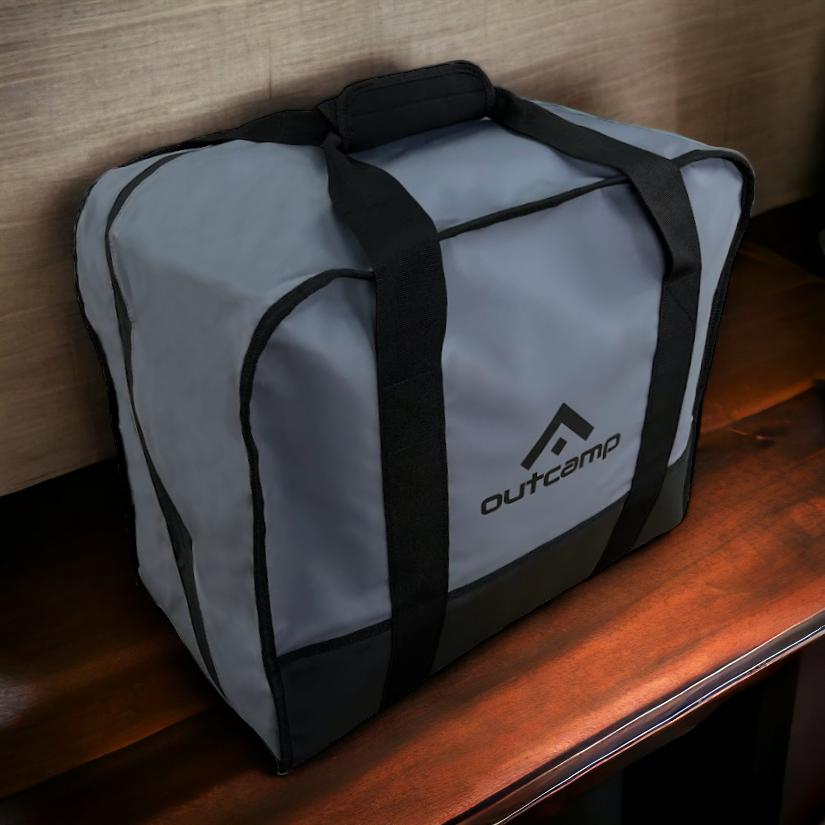
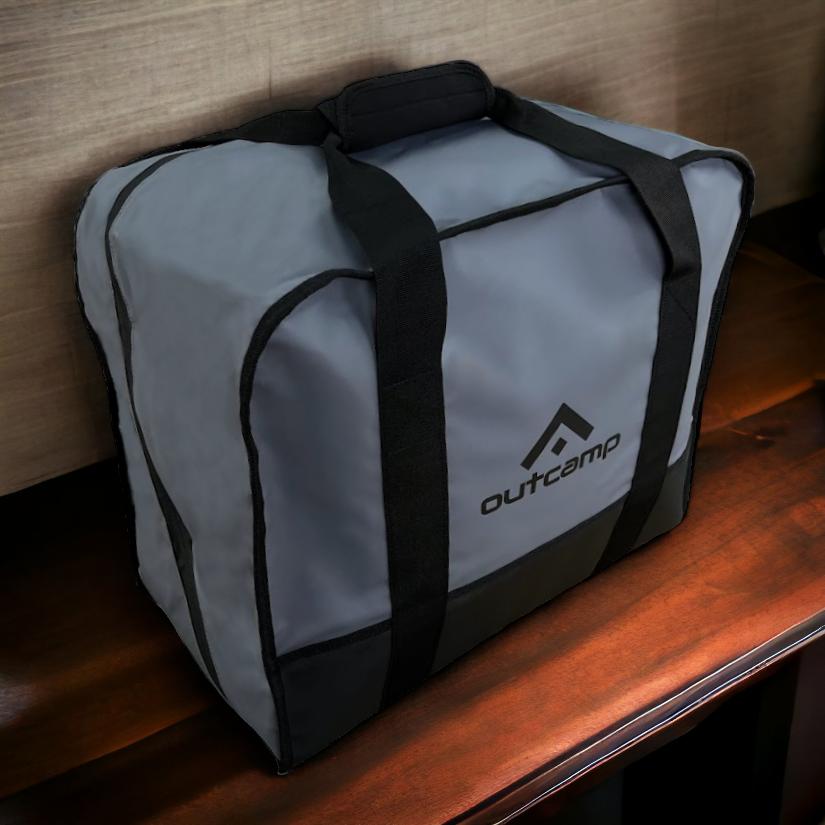
On projects where the active work zone changes daily — road construction, pipeline laying, or progressive land clearing — you need a setup that can be broken down and redeployed in under five minutes. The Starlink Mini Tripod Mount combined with the Starlink Mini Carry Bag or Starlink Mini Hard Protective Travel Case gives you a complete portable kit that survives the inside of a toolbox or the back of a dual-cab.
The Starlink Mini Explorer Bundle Pack is worth considering for supervisors who split time between field and office. It brings together the key accessories needed for a mobile Starlink setup in a single package, reducing the risk of arriving on site missing a critical cable or adapter.
When the dish is moving around, protecting it matters. Construction environments are hard on gear — dust, vibration, incidental impacts, and UV exposure all take a toll. The Starlink Mini Silicone Cover and Starlink Mini Dish Protector Shield provide a layer of protection during transit and while the dish is exposed to the elements between uses.
Powering Starlink Mini on a Construction Site
Power availability on remote construction sites varies enormously — from large diesel generator rigs with 240V output, to small portable generators, to vehicle 12V systems, to battery banks. Starlink Mini's USB-C power input gives it flexibility that most satellite dishes don't have, and Outcamp's power accessory range extends that flexibility to practically every site scenario.
The key principle is matching your power source to the right converter or adapter. Using the wrong voltage or an undersized power supply will cause Starlink Mini to reset under load — a frustrating experience during a video call or file upload. Getting the power solution right from day one is worth the effort.
Running from a Site Generator or Vehicle System
On sites with a generator providing stable 240V power, Starlink Mini connects directly via USB-C. But many site vehicles and mobile command units run on 12V or 24V DC systems, which require a power converter to step voltage up to the 20V DC that Starlink Mini needs. The Starlink Mini 12V to 24V Power Supply (Anderson Plug) and the Starlink Mini 12V to 30V Power Supply (Anderson Plug) both handle this conversion natively, connecting via Anderson plug to the vehicle's auxiliary power circuit.
For vehicles without a dedicated aux circuit, the Starlink Mini Cigarette Lighter Power Supply (165W USB-C) provides a plug-and-play option that doesn't require any wiring. On sites where the dish is hardwired into a vehicle or structure, the Starlink Mini 20V Hardwired Power Socket with Integrated Voltage Booster provides a clean, weatherproof connection point that can be wired directly into the vehicle's electrical system.
Combined with the Remote Control Operated 12V-24V Power Supply, site managers can power cycle the dish remotely without having to physically access the installation point — useful when the dish is mounted on a roof or high rail. For cable runs between the power source and the dish, the Starlink Mini DC Extension Cable and the Starlink Mini Anderson Plug to DC Power Cable (5.0M) cover most distance requirements.
Tool Battery Adapters for Tradespeople
One of the more practical innovations for Australian construction workers is the ability to run Starlink Mini from the same batteries already on site for power tools. The Starlink Mini Makita 18V Battery Connector lets any 18V Makita battery — the most common battery platform on Australian construction sites — power the dish directly. If your site runs Milwaukee tools, the Starlink Mini Milwaukee 18V Battery Adapter does the same job.
This is particularly valuable for roving supervisors and safety officers who don't have a vehicle nearby but need connectivity in the field. Drop a fully charged 5Ah battery onto the adapter and you get several hours of Starlink connectivity with no additional power infrastructure required. The PeakDo Power Dock for Makita takes this further, providing a structured docking solution for Makita batteries that keeps everything organised and easy to swap in the field.
The tool battery approach also works well for temporary connectivity needs — a supervisor doing a walk of the site perimeter, a drone operator coordinating flight paths in the field, or a safety officer completing an audit in a part of the site away from the office setup. It's a genuinely flexible solution that leverages infrastructure the construction team already owns.
Portable Power for Extended Field Work
When neither a vehicle nor a tool battery is available, the PeakDo LinkPower 2 Portable Power Bank (99Wh) is built specifically for Starlink Mini and provides up to two hours of operation from a compact, airline-safe battery unit. This is particularly useful for short-duration field work — daily site inspections, client walkthroughs, drone operation coordination — where a full power setup isn't justified.
For extended use from a portable power station, the Starlink Mini Portable UPS Power Supply (7-10 Hours) is the heavy-duty option, providing a full working day of connectivity from a single charge and doubling as a UPS to prevent dropouts during generator switchovers — a common issue on sites that run multiple loads from a single generator.
The Starlink Mini Dual USB Car Charger with DC Cable and Voltmeter is a useful addition for site vehicles that are frequently recharging accessories, providing voltage monitoring alongside the power feed to give operators visibility over the vehicle's electrical state during extended parked use.
Putting It All Together: Getting Starlink Mini Right on Your Construction Site
A well-deployed Starlink Mini installation on a remote construction site pays for itself quickly. The hardware and subscription cost is modest against the daily operating cost of a remote build, and the productivity, safety, and coordination benefits are immediate. What changes when you have reliable internet on a remote site isn't just the speed of communication — it's the quality of decision-making, the completeness of safety records, and the ability of your team to operate as though they're connected to the rest of the business rather than isolated from it.
The accessory selection matters as much as the dish itself. A Starlink Mini sitting in the back of a ute with an undersized power supply and a dish that keeps vibrating out of alignment isn't delivering its full value. The right mount, the right power solution, and the right protective gear make the difference between a marginal improvement and a genuine transformation in how your remote site operates.
Outcamp stocks the full range of Starlink Mini mounts, power accessories, cables, and carry solutions — all matched specifically to the dish's form factor and designed for the Australian conditions that construction teams work in every day. Browse the range at outcamp.com.au to find the setup that suits your site configuration, or use the contact page if you're putting together a multi-unit order for a large project.




Leave a comment (all fields required)