


Which Starlink Dish Is Right for You?
With SpaceX now offering four distinct Starlink hardware models — Mini, Standard Gen 2, Standard Gen 3, and High Performance — choosing the right one can feel overwhelming. Each dish targets a different user profile, from the weekend camper who wants lightweight portability to the commercial operator who needs maximum throughput in punishing conditions.
This guide breaks down every specification that matters: size, weight, speed, power draw, weatherproofing, Wi-Fi capability, and price. By the end, you'll know exactly which Starlink dish fits your setup.
At a Glance — Comparison Table
| Specification | Starlink Mini | Standard Gen 2 (Actuated) | Standard Gen 3 | High Performance (Gen 3) |
|---|---|---|---|---|
| Kit Price (USD) | $249 — $599 | Discontinued (was $599) | $349 — $499 | $1,999 — $2,500 |
| Dish Dimensions | 298 × 259 × 259 mm (11.75″ × 10.2″) | 513 × 303 × 544 mm (20.2″ × 11.9″ × 21.4″) | 594 × 383 × 39.7 mm (23.4″ × 15.1″ × 1.5″) | 609 × 396 × 40 mm (24″ × 15.6″ × 1.6″) |
| Dish Weight | 1.1 kg / 2.4 lb (1.16 kg with kickstand) | 2.9 kg / 6.4 lb (3.6 kg with cable) | 2.9 kg / 6.4 lb (3.2 kg with kickstand) | 5.2 kg / 11.5 lb |
| Download Speed | 25 — 150 Mbps | 25 — 150 Mbps | 25 — 150 Mbps | Up to 400+ Mbps |
| Upload Speed | 5 — 20 Mbps | 5 — 20 Mbps | 5 — 20 Mbps | 5 — 20 Mbps |
| Field of View | 110° | 110° | 110° | 140° |
| IP Rating | IP67 | IP54 | IP67 | IP69K |
| Power Consumption | 25 — 40 W | 50 — 75 W | 75 — 100 W | 75 — 100 W |
| Operating Temp | —30°C to +50°C | —30°C to +50°C | —30°C to +50°C | —30°C to +50°C |
| Wind Resistance | Up to 96 kph (60 mph) | Up to 160 kph (100 mph) | Up to 160 kph (100 mph) | 280+ kph (174+ mph) |
| Cable Length | 15 m (49.2 ft) | 15.2 m (50 ft) | 15 m (49.2 ft) | 25 m (82 ft) |
| Wi-Fi | Built-in (Wi-Fi 5) | Gen 2 Router (Wi-Fi 5) | Gen 3 Router (Wi-Fi 6) | Gen 3 Router optional (Wi-Fi 6) |
| Router | Integrated into dish | Separate Gen 2 router | Separate Gen 3 router | Optional Gen 3 router or BYO |
| Mounting | Kickstand + pipe adapter | Motorised pole mount with base | Kickstand (flat) | Flat mount or wedge mount |
| Best For | Travellers, campers, lightweight portable use | Fixed residential (legacy users) | Residential, caravans, boats | Commercial, marine, high-demand environments |
1. Starlink Mini — The Ultra-Portable Powerhouse
The Starlink Mini is SpaceX's smallest and lightest satellite dish, purpose-built for users who need internet on the go. At just 1.1 kg (2.4 lb) and roughly the size of a laptop, it fits inside a backpack or sits comfortably on a camp table.
Key Strengths
- Unmatched portability: At under 1.2 kg with the kickstand, it's lighter than most laptops. No other Starlink dish comes close.
- Ultra-low power draw: 25—40 W means you can run it from a portable power station, a car cigarette lighter plug (with the right cable), or even a USB-C PD power source.
- IP67 weatherproofing: Fully dust-tight and can handle temporary submersion. Rain, dust storms, and snow are no problem.
- Built-in Wi-Fi router: No separate router needed — the dish itself broadcasts Wi-Fi, simplifying setup to a single device.
- Cheapest entry point: New Starlink customers can pick one up for as low as $199—$249 USD depending on promotions.
Limitations
- Smaller coverage area: The integrated router covers approximately 112 m² (1,200 ft²) — fine for a campsite, tight for a large house.
- Lower wind tolerance: Rated for 96 kph (60 mph) winds vs. 160+ kph on larger models. In genuinely exposed locations, the Mini can lose signal or tip over.
- No Ethernet port on the dish: You'll need the Starlink Ethernet Adapter for wired connections.
- Same speed tier as Gen 2/Gen 3: 25—150 Mbps download — you're not sacrificing speed for portability, but you're also not gaining any.
Ideal User
Overlanders, caravan travellers, 4WD tourers, backpackers, remote workers who move between locations, and anyone who values grab-and-go simplicity over maximum coverage area.
2. Starlink Standard Gen 2 (Actuated) — The Original Workhorse
The Gen 2 (also called the "actuated" or "rectangular" dish) was the first widely available residential Starlink model. Its defining feature is a motorised mount that physically tilts the dish to find the optimal satellite angle — a clever approach that later models replaced with fully electronic beam steering.
Key Strengths
- Proven reliability: Millions of these are in service worldwide. The hardware is well understood, and there's a huge aftermarket of mounts, 12V conversion kits, and accessories.
- Motorised self-alignment: The dish tilts itself to optimise signal. In locations with partial obstructions, this mechanical adjustment can outperform the flat Gen 3 in some edge cases.
- Lower power consumption than Gen 3: 50—75 W average — more efficient than the Gen 3's 75—100 W, which matters for off-grid setups.
- 12V conversion-friendly: The community has well-documented 12V DC mods that drop consumption to roughly 30 W, making it viable for battery-powered van and boat installations.
Limitations
- Discontinued: SpaceX no longer sells new Gen 2 kits. You can still find them secondhand, but warranty and parts support are winding down.
- IP54 only: The lowest weather rating of any current Starlink model. Water-resistant, not waterproof — not ideal for permanent outdoor exposure without additional protection.
- Moving parts: The motorised mount is a potential point of failure over time, especially in dusty or sandy conditions.
- Older Wi-Fi 5 router: The included Gen 2 router uses 802.11ac (Wi-Fi 5), not the newer Wi-Fi 6 standard. Fine for most uses, but noticeably slower for multi-device households.
- Bulkier profile: At 544 mm tall (including the motor housing), it stands significantly taller than the flat Gen 3 or Mini.
Ideal User
Existing Gen 2 owners who are happy with their setup, or budget-conscious buyers picking up a secondhand unit for a fixed installation where IP54 weatherproofing is acceptable.
3. Starlink Standard Gen 3 — The New Residential Standard
The Gen 3 is SpaceX's current flagship residential dish. It replaces the Gen 2 with a completely flat, kickstand-mounted design — no moving parts, no motor, and significantly improved weatherproofing.
Key Strengths
- Flat, low-profile design: At just 39.7 mm (1.5″) thick, it sits almost flush on a roof, table, or mount. Far less wind resistance than the tall Gen 2.
- IP67 weatherproofing: Same dust-tight, water-submersion rating as the Mini. A major upgrade from the Gen 2's IP54.
- Wi-Fi 6 router: The included Gen 3 router supports 802.11ax with tri-band 4×4 MU-MIMO. Faster speeds, better multi-device handling, and mesh expansion via additional Gen 3 nodes.
- No moving parts: Electronic beam steering only — nothing to wear out, jam, or break in dusty conditions.
- Ethernet ports: The Gen 3 router includes two latching Ethernet LAN ports with a removable cover — no adapter needed.
- Same dish weight as Gen 2: 2.9 kg (6.4 lb) for the dish alone, despite being a larger panel. The kickstand adds only 0.3 kg.
Limitations
- Higher power draw: 75—100 W average — roughly 25—50% more than the Gen 2. For off-grid users, this means a bigger battery bank or solar setup.
- Same speed tier as Gen 2 and Mini: 25—150 Mbps download. Despite the newer hardware, SpaceX hasn't increased the standard-tier speed cap yet.
- Larger dish footprint: 594 × 383 mm is bigger than the Gen 2's 513 × 303 mm dish face. Not a problem on a roof, but less convenient for portable use compared to the Mini.
- No built-in router: Unlike the Mini, you need the separate Gen 3 router box — one more component to power and mount.
Ideal User
New residential customers, caravanners and motorhome owners who want a fixed roof mount, boaters who need IP67 reliability, and anyone upgrading from Gen 2 who wants Wi-Fi 6 and better weatherproofing.
4. High Performance (Performance Gen 3) — The Professional-Grade Beast
The High Performance dish (now in its Gen 3 iteration, replacing the older Flat High Performance / FHP model) is Starlink's top-of-the-line hardware. It's designed for users who can't afford downtime: commercial fleets, marine vessels, mining operations, and anyone who needs the absolute best signal in the harshest conditions.
Key Strengths
- 400+ Mbps download speeds: The only Starlink dish rated for speeds beyond 150 Mbps. With Priority data plans, real-world throughput regularly exceeds 300 Mbps.
- 140° field of view: 30° wider than the 110° FOV on Mini, Gen 2, and Gen 3. This means better performance in partially obstructed environments, at high latitudes, and during in-motion use.
- IP69K weatherproofing: The highest rating available — fully sealed against dust, high-pressure water jets, and steam cleaning. This dish can handle anything the ocean, outback, or arctic throws at it.
- 280+ kph wind resistance: Rated for Category 5 hurricane-force winds. No residential Starlink dish comes close.
- 25 m (82 ft) cable: Nearly double the cable length of standard models, providing more flexibility for mounting on tall masts, ship superstructures, or remote rooftop positions.
- AC/DC power options: Can run on 12—48V DC input for direct integration with vehicle or vessel electrical systems without an inverter.
- 10-year mission life: Built for long-term deployment with minimal maintenance.
Limitations
- Price: $1,999—$2,500 USD for the hardware alone — 4—10× the cost of a standard kit. Plus, Priority data plans start at $140—$250/month for meaningful data allocations.
- Weight: 5.2 kg (11.5 lb) for the dish alone. Not something you casually move around.
- Requires Priority plans: To unlock the 400+ Mbps speeds, you must be on a Priority or Mobile Priority plan — standard residential plans cap at 150 Mbps regardless of hardware.
- Router sold separately (or optional): The kit may or may not include a Gen 3 router depending on the retailer. Many commercial users bring their own networking equipment.
- Overkill for casual users: If you're streaming Netflix at a fixed home address, the Standard Gen 3 delivers the same experience at a fraction of the cost.
Ideal User
Commercial fleet operators, offshore and coastal marine vessels, mining and resource sites, emergency services, professional content creators in remote locations, and any business where internet downtime costs more than the hardware investment.
Power Consumption Compared
Power draw is one of the most important factors for off-grid users. Here's what each dish pulls from your battery bank:
| Model | Typical Power Draw | 12V Draw (approx.) | Daily Usage (8 hrs) |
|---|---|---|---|
| Starlink Mini | 25 — 40 W | 2 — 3.3 A | 200 — 320 Wh |
| Standard Gen 2 | 50 — 75 W | 4.2 — 6.3 A | 400 — 600 Wh |
| Standard Gen 3 | 75 — 100 W | 6.3 — 8.3 A | 600 — 800 Wh |
| High Performance | 75 — 100 W | 6.3 — 8.3 A | 600 — 800 Wh |
Key takeaway: The Mini is the clear winner for battery-powered setups. It uses roughly one-third the power of the Gen 3 and High Performance models. If you're running off a 100 Ah lithium battery, the Mini gives you approximately 24+ hours of continuous use vs. roughly 10 hours for the Gen 3.
Which One Should You Buy?
Choose the Starlink Mini if:
- You travel frequently and need internet that fits in a backpack
- You run off-grid on batteries or solar and need minimal power draw
- You want the simplest possible setup — one device, no separate router
- You don't need to cover a large home with Wi-Fi
Choose the Standard Gen 2 if:
- You already own one and it's working well — no urgent reason to upgrade
- You find a good secondhand deal and want budget-friendly satellite internet
- You've done the 12V conversion and rely on the lower power draw
Choose the Standard Gen 3 if:
- You're a new customer setting up residential or semi-permanent satellite internet
- You want Wi-Fi 6, Ethernet ports, and mesh expansion capability
- You need IP67 weatherproofing for permanent outdoor mounting
- You're mounting on a caravan, motorhome, or boat roof
Choose the High Performance if:
- You need speeds above 150 Mbps for business-critical applications
- Your installation faces extreme weather — offshore, high altitude, remote outback
- You need in-motion satellite connectivity (marine, aviation, fleet)
- Downtime costs your business more than the hardware investment
Final Verdict
For most Australian travellers and caravanners, the decision comes down to Mini vs. Gen 3. The Mini wins on portability and power efficiency; the Gen 3 wins on coverage area and Wi-Fi performance. The Gen 2 is a solid legacy option if you already own one, and the High Performance is in a league of its own for professional and commercial use.
No matter which model you choose, the Starlink ecosystem is mature enough in 2026 that you're getting reliable, high-speed internet almost anywhere on Earth. The real question is which form factor and feature set matches your life.
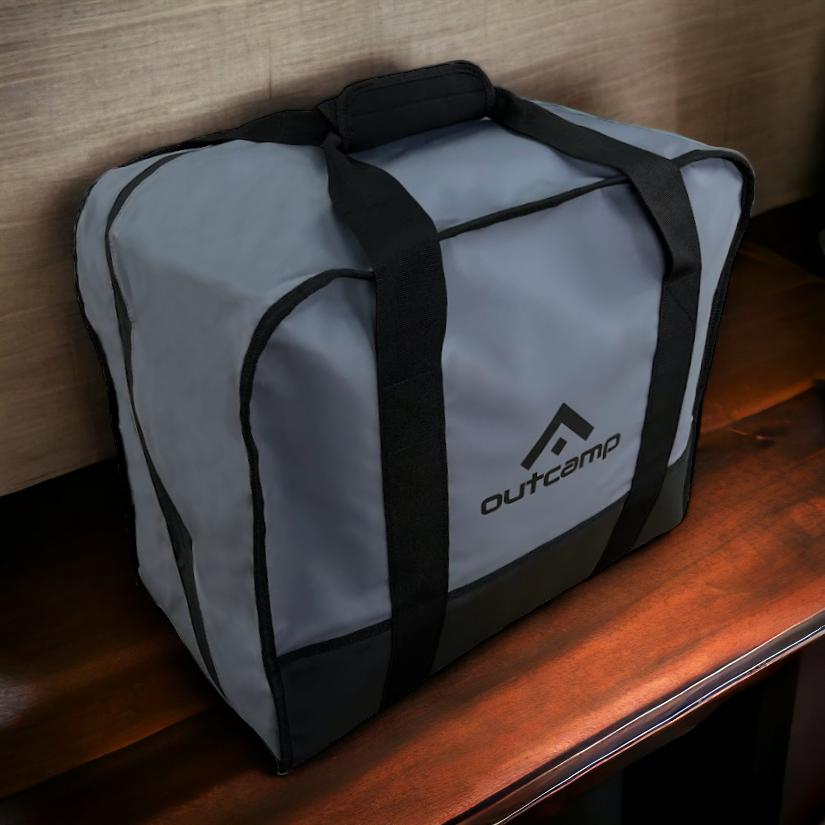
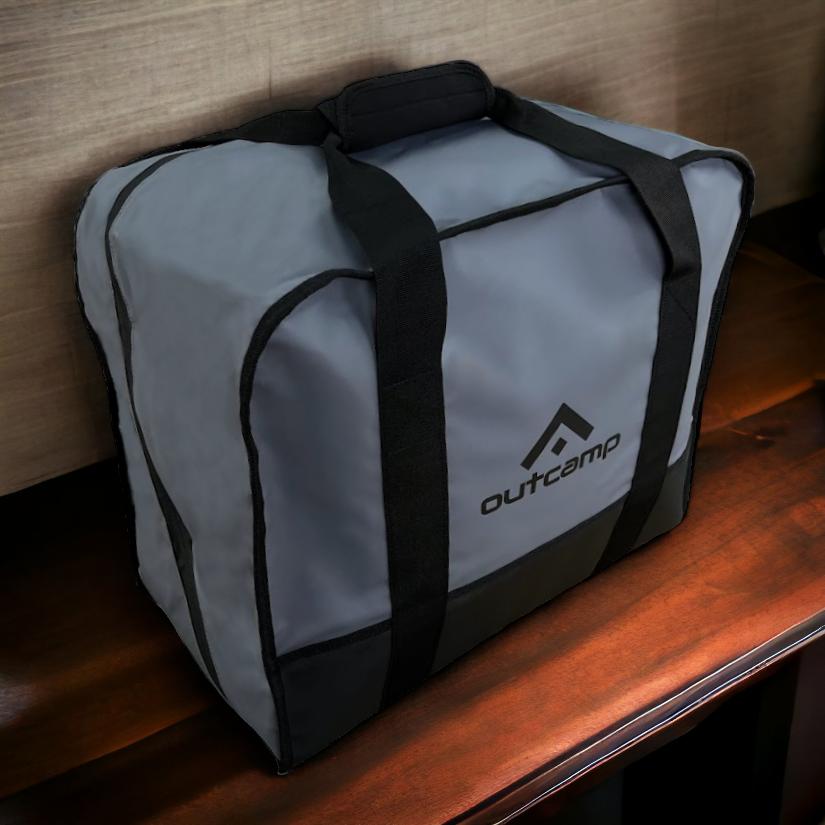
Need mounting solutions, power cables, or carry cases for your Starlink? Browse our full range of Starlink accessories — designed and tested in Australia for Australian conditions.




Leave a comment (all fields required)